
Introduction
Sometimes it’s necessary to add all members of an Organizational Unit (OU) to a security group in Active Directory, but how can we do this using PowerShell?
Solution
Run the following command:
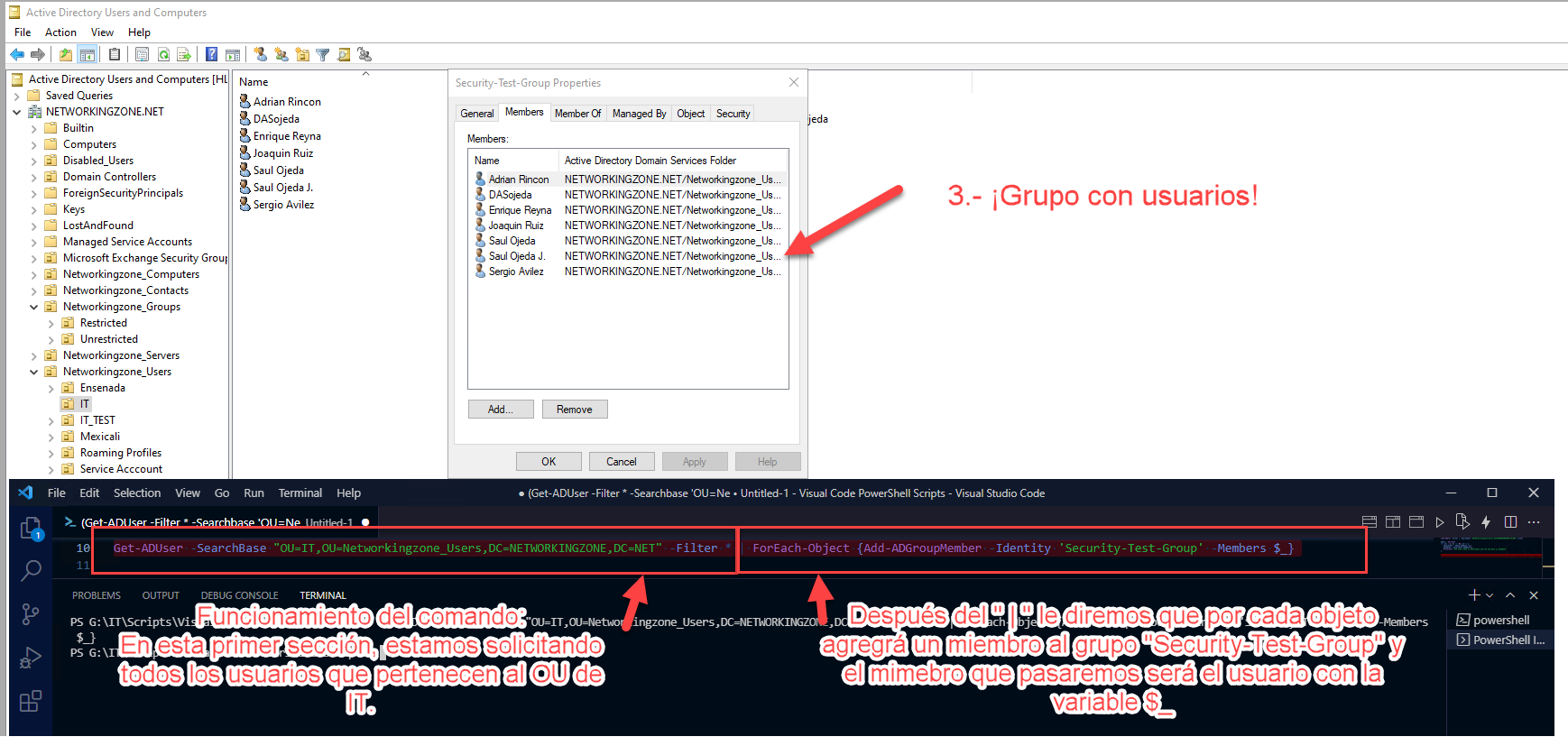
Get-ADUser -SearchBase "OU=IT,OU=Networkingzone_Users,DC=NETWORKINGZONE,DC=NET" -Filter * |
ForEach-Object {Add-ADGroupMember -Identity 'Security-Test-Group' -Members $_}
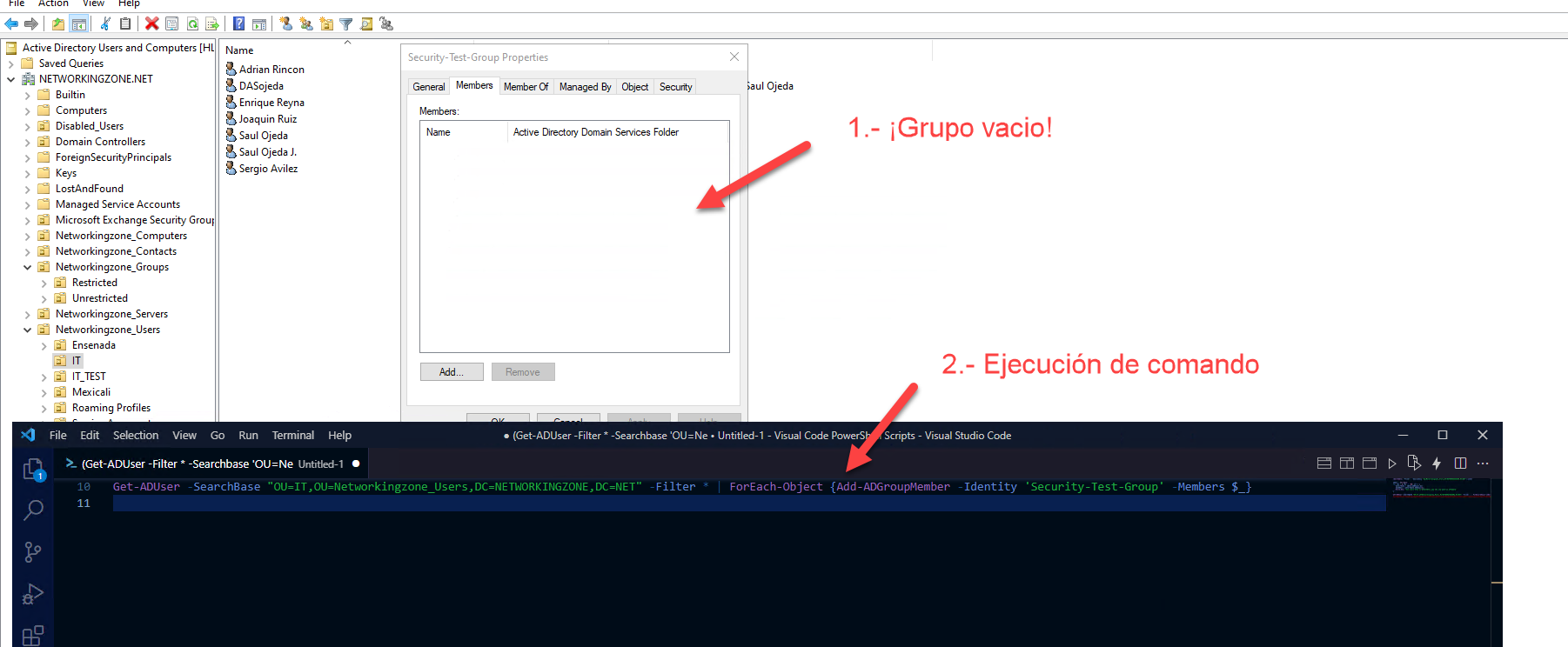
As you can see in the image, I only have 7 users within the IT OU and in this example all users from that OU will be added to the “Security-Test-Group”.
Conclusion
Using a simple one-liner in PowerShell with Get-ADUser and Add-ADGroupMember makes it extremely efficient to manage large-scale group memberships in Active Directory, saving significant manual labor for infrastructure administrators.