
Working with enterprise storage infrastructure like Dell PowerScale (Isilon) usually provides peace of mind due to its high availability. However, when OneFS’s self-protection mechanism kicks in, it can trigger a domino effect that completely halts production.
We recently faced a critical incident in OneFS 9.7.1.3 where a battery failure (BBU) escalated to the total loss of access to shared disks (SMB/NFS) and the crash of the WebUI.
In this post, I will document the symptoms, the root cause, the workaround, and, most importantly, why forcing the system out of Read-Only mode carries a massive risk of data loss if not properly calculated.
1. The Symptom: Domino Effect in OneFS
It all started with reports of lost write access to shared folders. When attempting to investigate from the web management console (WebUI), the system exhibited erratic behavior:
- When attempting to log in locally with
rootoradmin, the portal returned a misleadingIncorrect password.
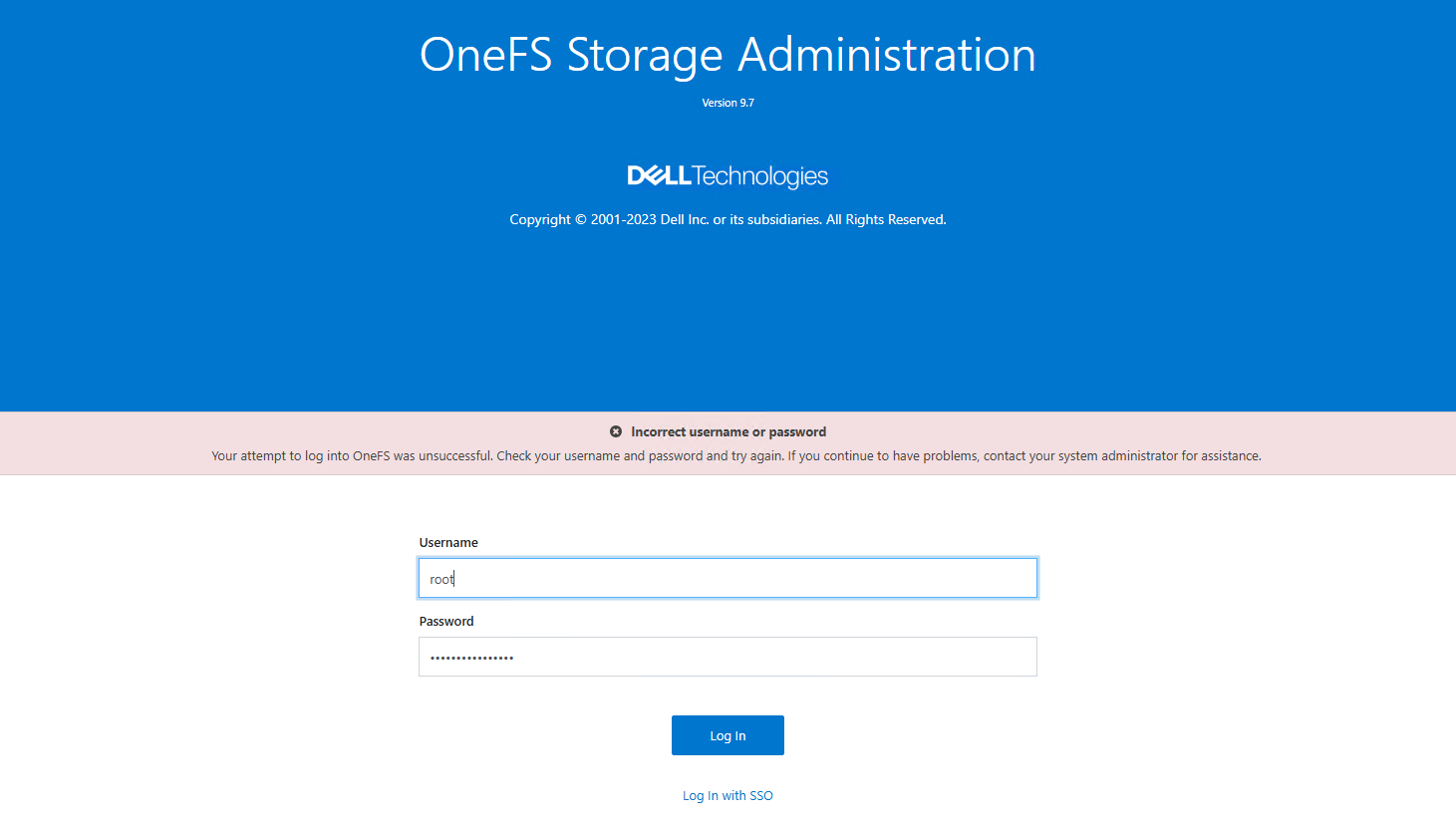
- When attempting to log in via SSO (SAML), the server crashed, returning an
HTTP 500 (Internal Server Error).
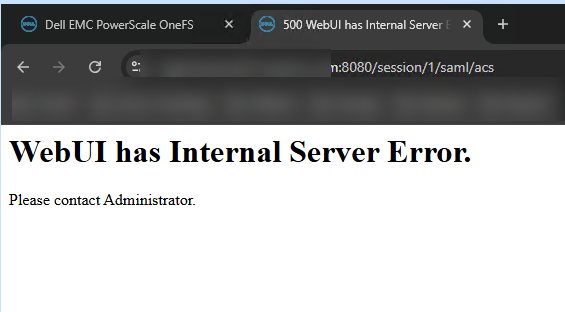
Fortunately, SSH access as root remained functional. Upon reviewing the cluster status, the picture was clear:
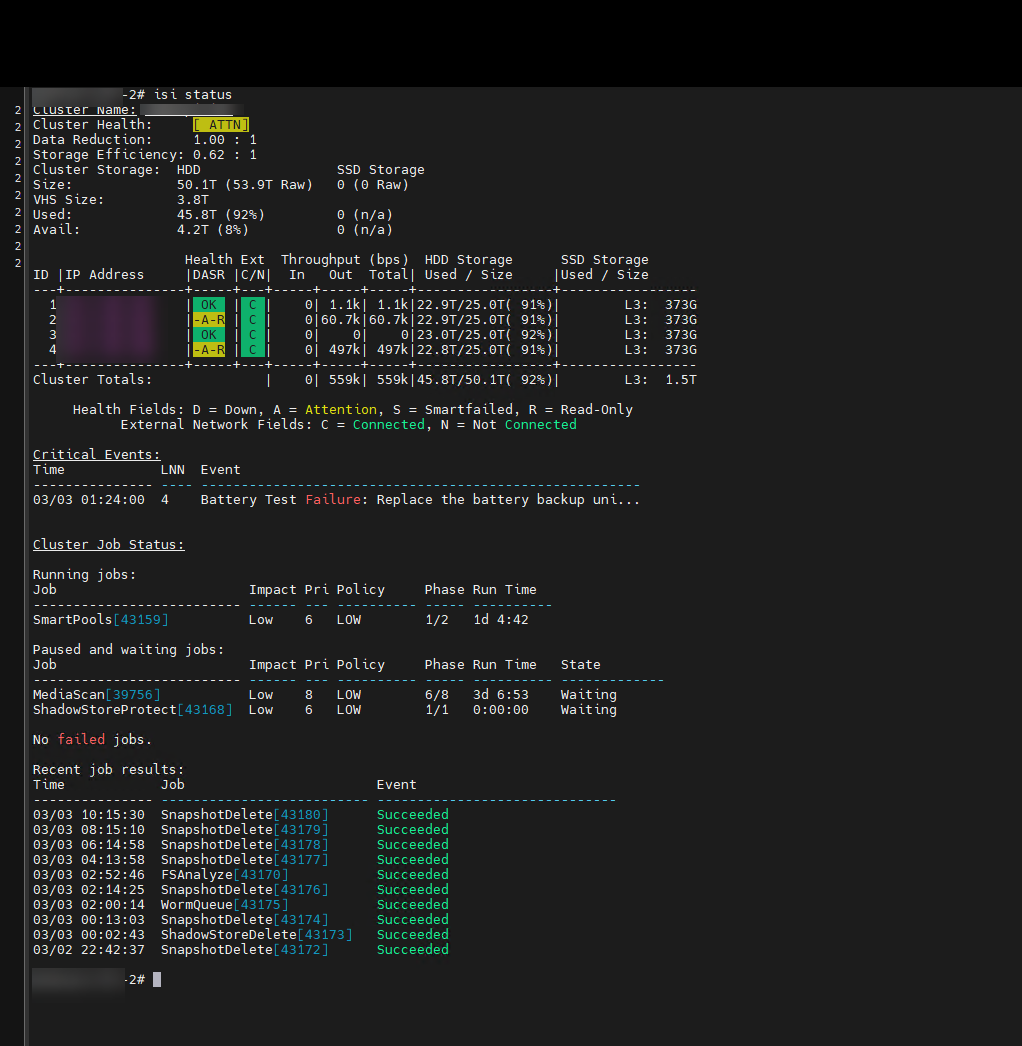
Two of our four nodes had entered a -A-R (Attention / Read-Only) state.
2. The Root Cause: The Journal, NVRAM, and the /ifs Block
The critical event indicated: Battery Test Failure: Replace the battery backup unit on Node 4.
In the Isilon architecture, writes do not go directly to the physical disks. They first pass through an ultra-fast memory (NVRAM) that acts as a cache (journal). If the node experiences a power outage, the battery backup unit (BBU) provides enough power to dump the contents of the NVRAM to a secure internal flash disk.
If the BBU fails, OneFS immediately puts the node into Read-Only mode to prevent corruption in case of a power failure.
The problem was mathematical: with 50% of the nodes losing write capability, the cluster could no longer guarantee the level of data protection (Erasure Coding) for new writes. To protect overall integrity, OneFS entered self-preservation mode and locked the entire filesystem (/ifs) in Read-Only mode.
When /ifs was locked:
Users could not write to SMB/NFS.
The authentication service (
lsass) crashed because it could not write session tokens (causing a password error).The WebUI crashed when attempting to process SAML/SSO tokens.
3. The Recovery Procedure (Step by Step)
Before compromising the data, we performed the following diagnostic and containment steps with Dell support.
Step 1: Diagnosis
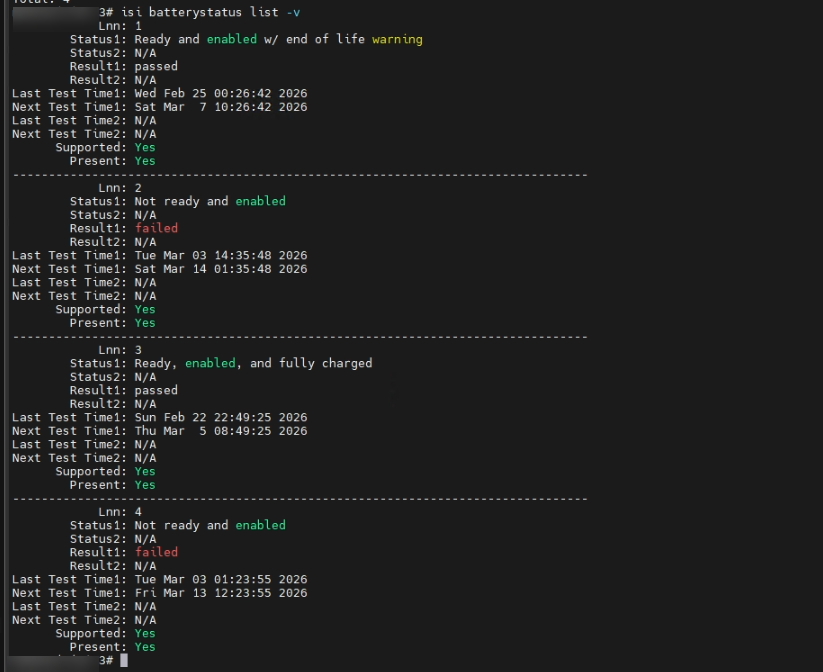
We confirmed battery failure on all nodes.
# Check battery and NVRAM charge status across all nodes
isi batterystatus list -v
Step 2: Restore Quorum (The Intervention)
It was determined that Node 2 had entered Read-Only mode due to cross-protection, but the actual hardware failure was only on Node 4.
To restore write quorum without risking the entire cluster, Dell proceeded to remove the logical lock exclusively on Node 2. In OneFS 9.x versions, this is the correct command:
# Disable logical read-only state on Node 2 to restore write quorum
isi readonly modify --enabled=no --allowed=no --node-lnn 2
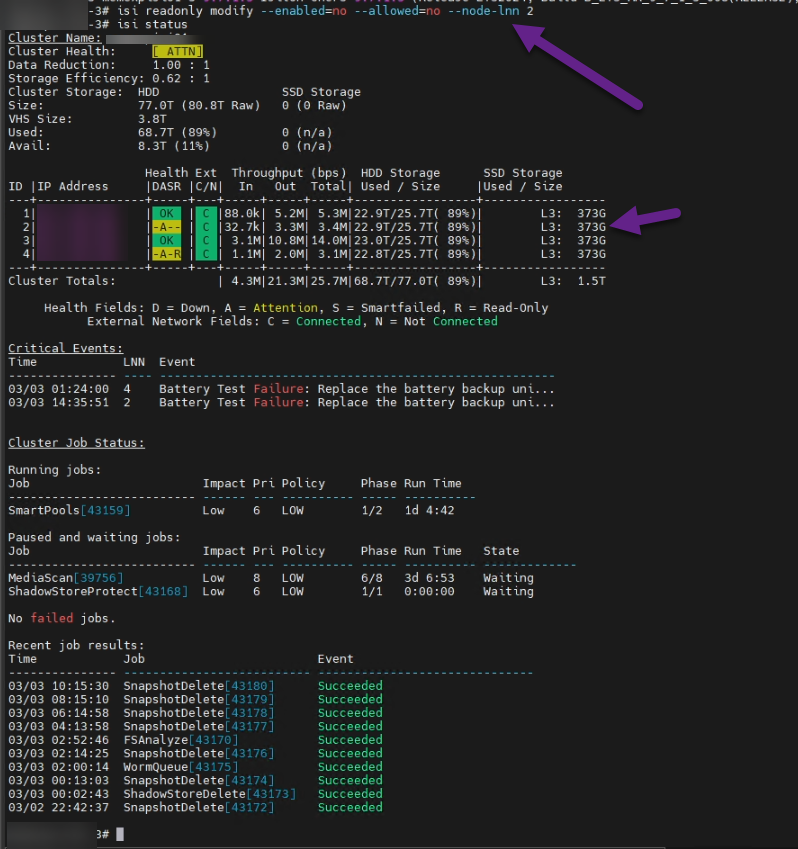
As you can see, Node 2 changed from [-A-R] to [-A--]. By restoring write capability to that node, the global lock on /ifs was lifted, lsass was revived, and production continued.
⚠️ CRITICAL DANGER: THE RISK OF FORCING A NODE OUT OF READ-ONLY MODE⚠️
Taking a node out of Read-Only mode when there is a physical battery failure is not a definitive solution; it’s a calculated gamble.
What happens if you do it wrong? By forcing a node to accept writes without a reliable BBU, its NVRAM is completely exposed. If a power outage occurs at that moment, all the data “in transit” (the journal) is lost forever.
Why did Dell only release one node? Isilon uses Forward Error Correction. If there is a power outage and a single node loses its journal, the cluster can reconstruct that data using the parity of the healthy nodes. If we had forced the two affected nodes (2 and 4) offline and a power failure occurred, we would lose the journals from both simultaneously. This would exceed the to Fault tolerance, resulting in irreversible file system corruption.
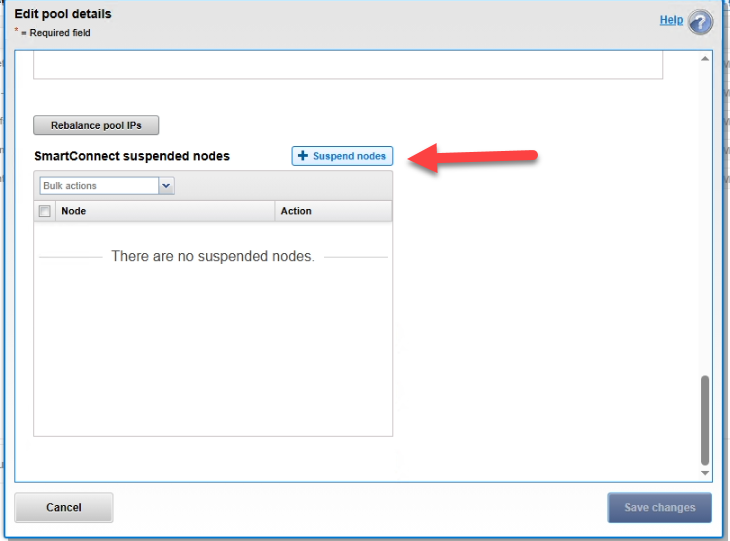
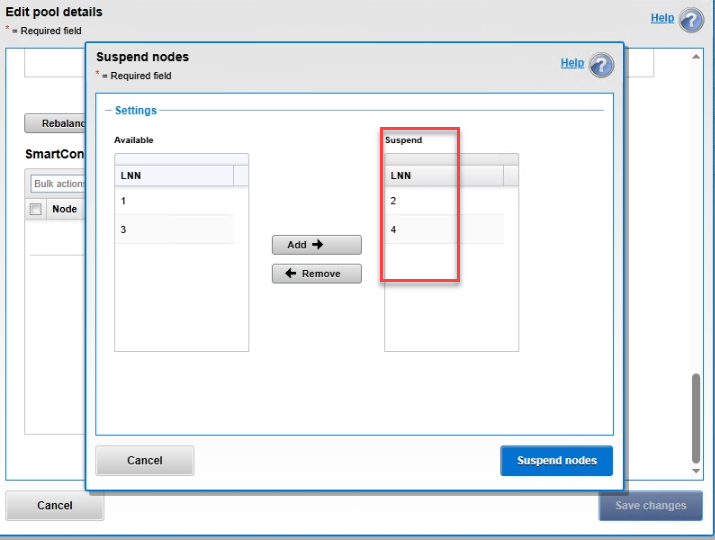
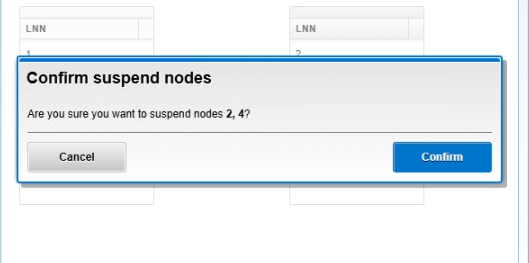
Step 3: Isolate nodes from user traffic (SmartConnect)
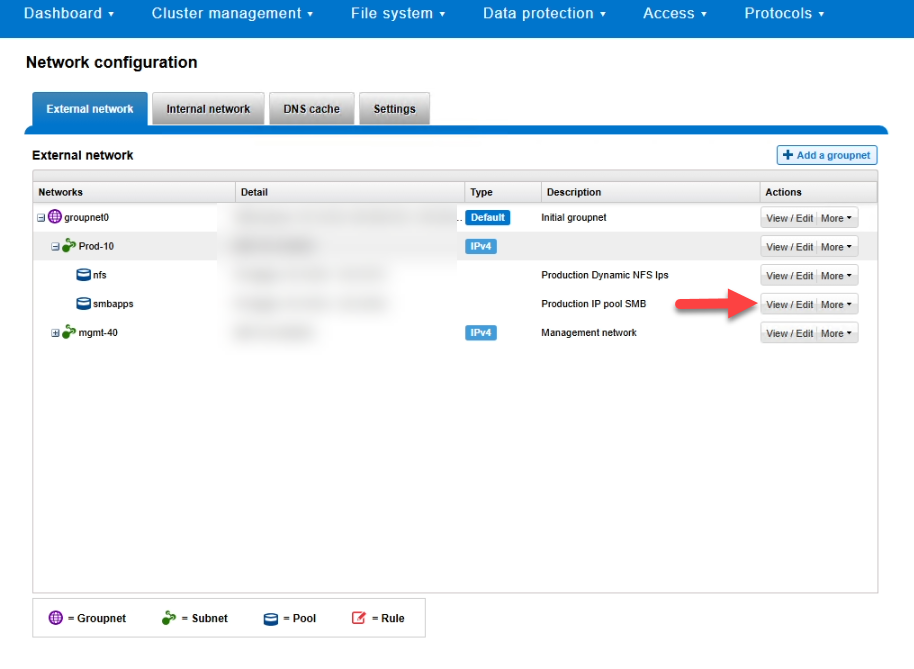
To prevent the load balancer from sending users to the blocked nodes, we paused their participation in the production pools.
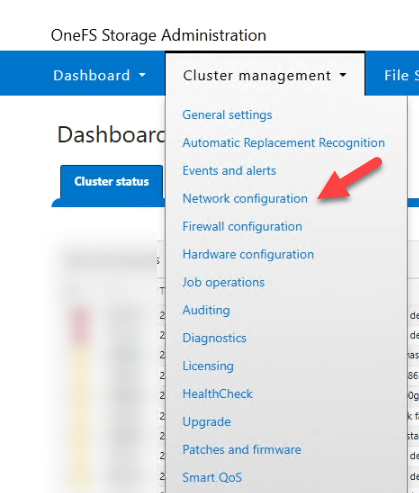
By removing read-only node 2, we regain access to the administration page with the admin account. Log in and follow the steps below.
1. Network Configuration
2. Edit SMB Pool
3. Edit the details
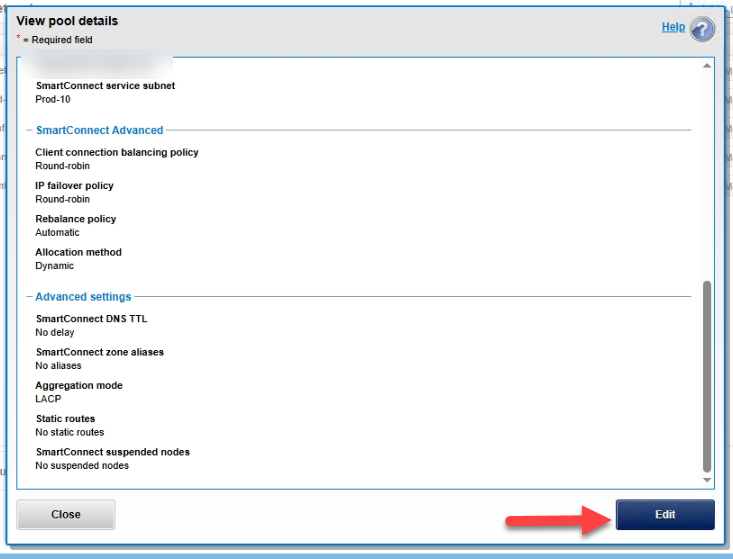
4. Suspend the affected nodes

Conclusion
This workaround saved the local operation without forcing us to set up the Disaster Recovery environment on our replica, but it left us operating with a very thin safety net while the batteries are replaced.
Golden Rules:
Never underestimate a OneFS hardware alert; its priority is always protecting data, not keeping the network up and running.
Never force a node out of Read-Only mode without understanding your cluster’s fault tolerance.
Secure your UPS systems, closely monitor capacity (being at 92% dramatically reduces your margin for error), and have your SyncIQ policies ready for failover if local intervention is too risky.