
Objective: Eliminate the manual process of compiling and copying the public/ folder to the server. We will implement a pipeline that, upon detecting a git push on the main branch, compiles the site and transfers it securely via SFTP using SSH keys.
Security: Least Privilege Implementation
In real production environments, we do not use root. Deployment is performed with a restricted user who only has access to their own home directory. This adds a vital layer of security: if the CI/CD process is compromised, the attacker is trapped in a “cage” within the user’s $HOME directory.
Phase 1: Server (VPS) Preparation
For GitHub Actions to access the VPS without human interaction, we need SSH key-based authentication (no password).
Open the terminal and connect to your VPS.
Generate a new cryptographic key pair (when prompted for the passphrase, press Enter to leave it blank):
ssh-keygen -m PEM -t rsa -b 4096 -f ~/.ssh/github_actions -C "github-cicd"
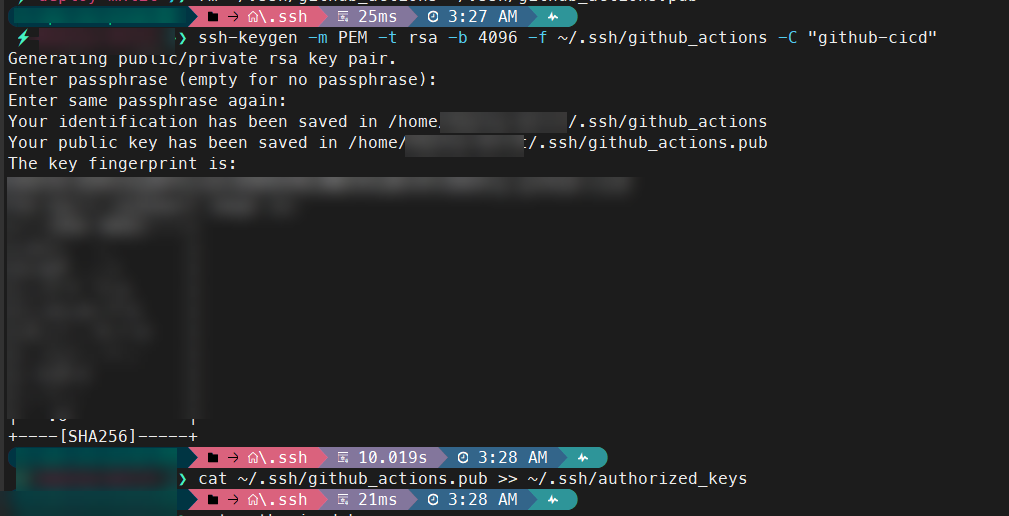
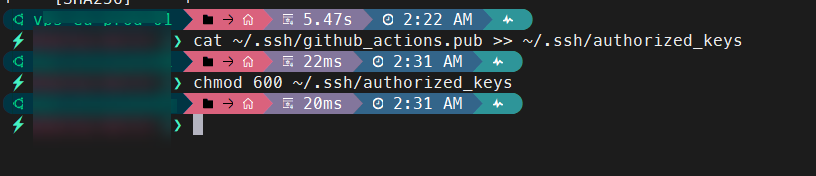
- Authorize the public key on the server:
# Append the new public key to authorized_keys
cat ~/.ssh/github_actions.pub >> ~/.ssh/authorized_keys
chmod 600 ~/.ssh/authorized_keys
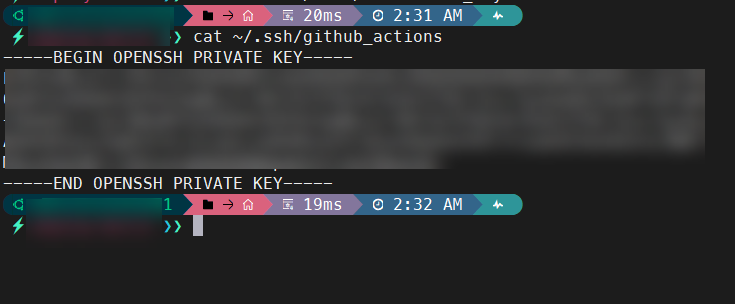
- Print the private key to the screen and copy it completely (from
-----BEGINtoEND-----):
# Read private key to copy to GitHub Secrets
cat ~/.ssh/github_actions
Phase 2: GitHub Secrets Configuration
For security, server credentials should never be included in the code.
- Go to your repository on GitHub > Settings > Secrets and variables > Actions.
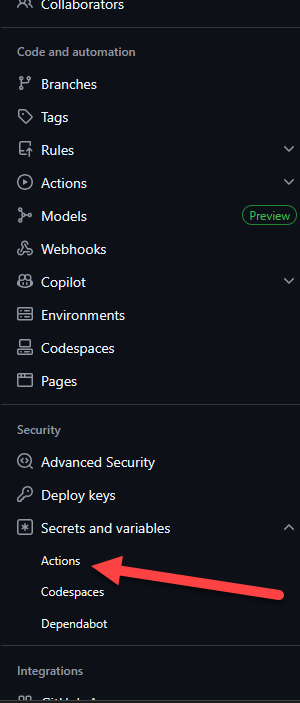
- Create the following repository secrets:
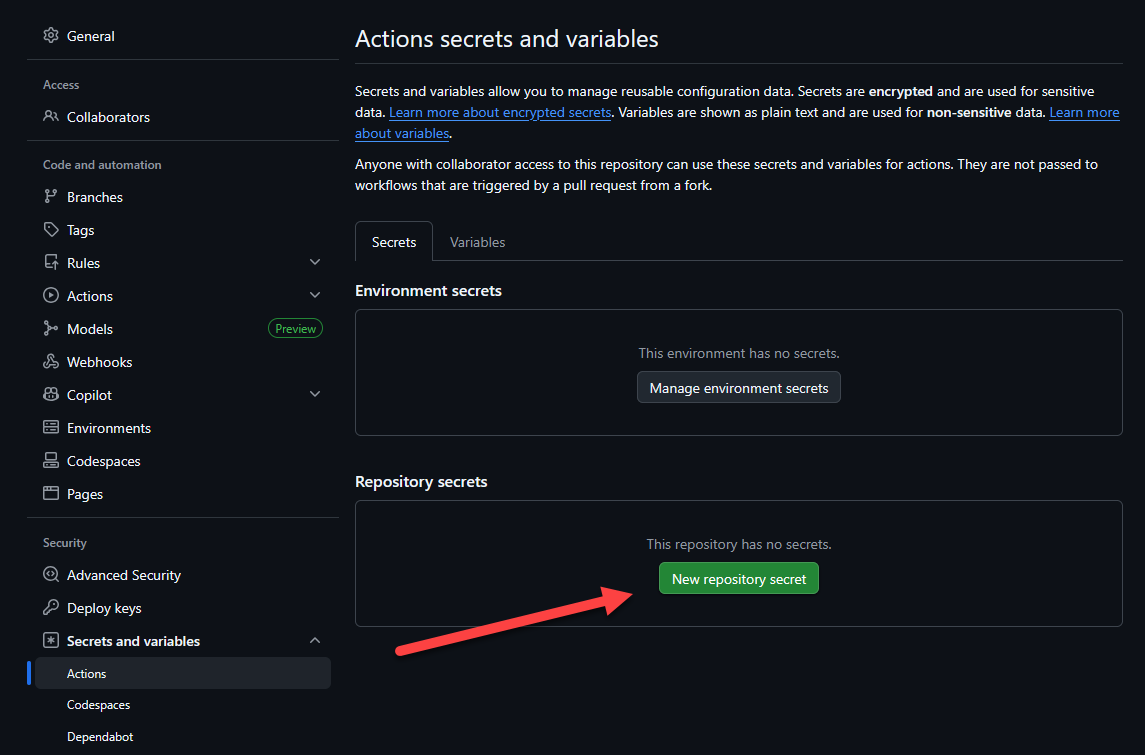
Repeat the process for each variable.
FTP_SERVER: The public IP address or domain of your VPS (e.g.,198.51.100.1).FTP_USERNAME: Your SSH username (e.g.,rootoradmin).FTP_PORT:22(or your custom SSH port).FTP_SSH_KEY: Paste the exact contents of the private key you copied in Phase 1 here.
Phase 3: Creating the Pipeline (YAML)
Since we have a Monorepo structure (where the blog resides within the mxlit-blog/ subfolder), we will configure the workflow to only compile and deploy when specific changes are made in that directory.
- In the root of your local repository (at the
mxlit-sitefolder level), create the path:.github/workflows/.
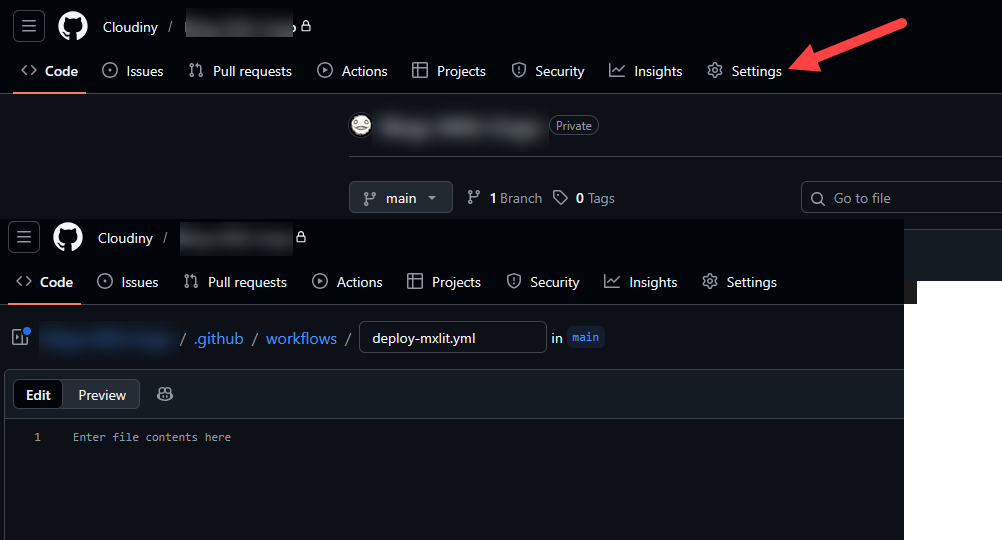
- Inside, create a file called
deploy-mxlit.ymland paste this code:
name: Deploy MXLIT to VPS via SFTP

on:
  push:
    branches:
      - main
    paths:
      - 'mxlit-site/mxlit-blog/**'

jobs:
  build-and-deploy:
    runs-on: ubuntu-latest

    steps:
      - name: Checkout repository
        uses: actions/checkout@v4
        with:
          submodules: true
          fetch-depth: 0

      - name: Setup Hugo
        uses: peaceiris/actions-hugo@v3
        with:
          hugo-version: 'latest'
          extended: true

      - name: Build Hugo site
        run: hugo --source mxlit-site/mxlit-blog --minify

      - name: SFTP Deploy
        uses: wlixcc/[email protected]
        with:
          username: ${{ secrets.FTP_USERNAME }}
          server: ${{ secrets.FTP_SERVER }}
          port: ${{ secrets.FTP_PORT }}
          ssh_private_key: ${{ secrets.FTP_SSH_KEY }}
          local_path: './mxlit-site/mxlit-blog/public/*'
          remote_path: '/YourPathHere'  #<----------- Add your path here!
          # Ensure old files are removed from the destination to keep it clean
          delete_remote_files: true
          args: '-o ConnectTimeout=5'

Phase 4: Deployment to Production
The pipeline is now configured. The daily workflow is now simply:
Write or modify content in Obsidian.
Open the terminal and run:
# Add changes, commit, and push to trigger the pipeline
git add .
git commit -m "docs: add cicd pipeline documentation"
git push origin main
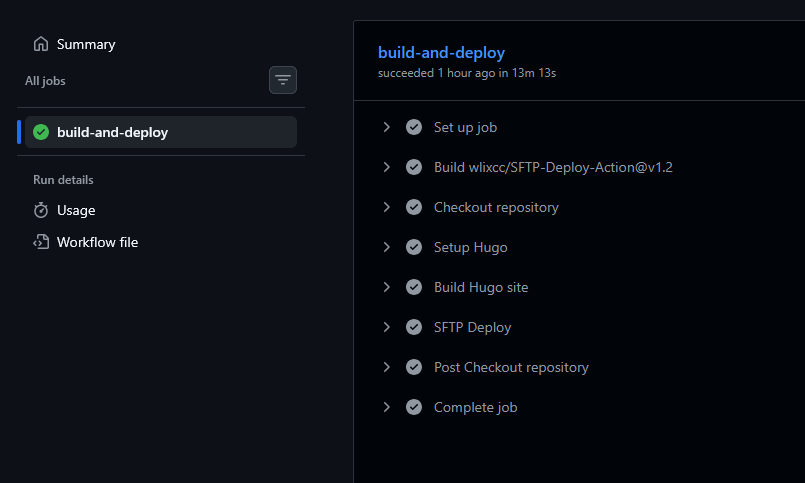
- Go to the Actions tab in GitHub to see the build in real time (it takes less than 30 seconds).
Conclusion
Implementing a CI/CD pipeline for a static site isn’t just a matter of convenience; it’s a strategy to ensure that deployment is predictable, secure, and free of human error. By moving from a manual SFTP copy process to event-driven automation with GitHub Actions, we transform our repository into the single source of truth.
This monorepo architecture peIt allows you to scale other projects under the same Git umbrella, maintaining a clear separation of responsibilities and an auditable change history. Now, focus is once again paramount: creating valuable content, knowing that the infrastructure takes care of the rest in seconds.