
Implementing Serverless Telemetry in Hugo with Lyket
Migrating to a static site generator (SSG) like Hugo offers massive advantages in security and speed by not relying on databases to serve content. However, this presents a challenge when we want to integrate basic interactivity, such as a “Like” or “Applause” counter in our Knowledge Base.
Instead of setting up additional containers or databases just to record clicks, the most elegant solution is to use a decoupled serverless approach. This is where Lyket comes in, an external API that handles transactional telemetry while our frontend remains 100% static.
Prerequisites
A functional website built with Hugo.
A free account at Lyket.dev.
Access to your theme’s layout files (specifically
head.htmlandsingle.html).
Step 1: API Setup and Security (CORS)
Lyket uses strict Deny-All policies by default to protect your request quota. If you simply paste the code, your browser will block the traffic (403 Forbidden error).
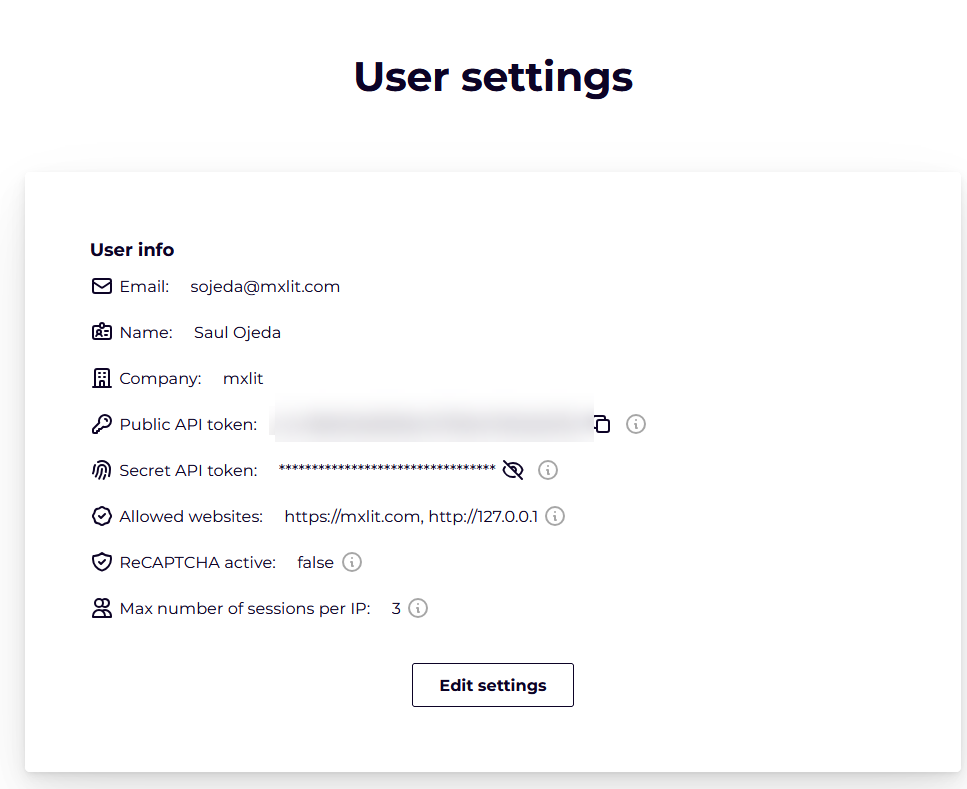
Log in to the Lyket dashboard and copy your Public API Key (usually starts with
pt_).Navigate to the Settings / Allowed Domains section.
Add both your local environment and your production domain to the whitelist:
http://localhosthttps://mxlit.com<—- This will depend on your site.
Step 2: Global Script Injection (head.html)
To avoid race conditions (where the DOM tries to draw the button before the main script loads), we need to inject the Lyket engine into the global header of the page.
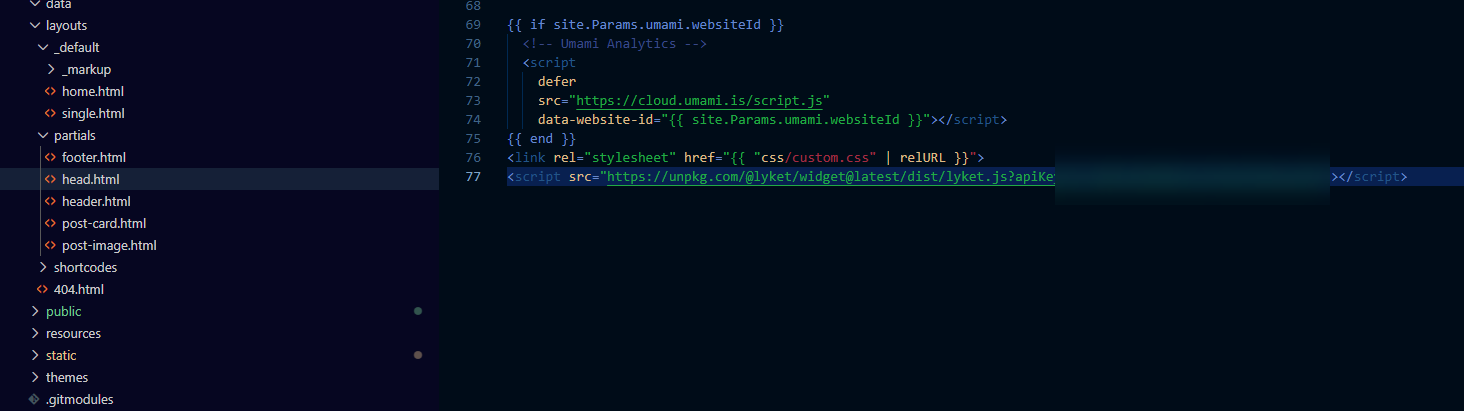
Locate your theme’s header file (for example, layouts/partials/head.html) and add the following line before the closing </head> tag:
<script src="[https://unpkg.com/@lyket/widget@latest/dist/lyket.js?apiKey=TU_PUBLIC_API_KEY_AQUI](https://unpkg.com/@lyket/widget@latest/dist/lyket.js?apiKey=TU_PUBLIC_API_KEY_AQUI)"></script>
Step 3: Component Rendering and Visual Adjustment (single.html)
The biggest challenge on sites with internationalization (i18n) or Leaf Bundle structures is maintaining a consistent ID so that the counter is the same regardless of the language. Instead of relying on the title or unstable variables, we’ll use Hugo’s native RelPermalink function to extract a clean ID.
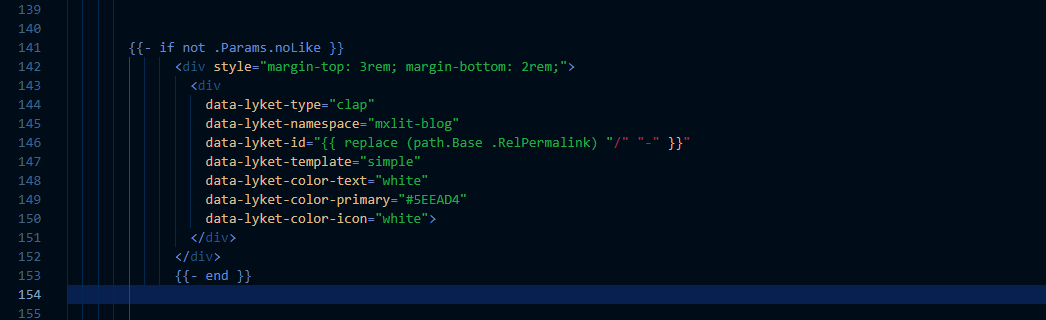
Locate your layouts/_default/single.html file and place this block right at the end of your article content (before the footer):
{{- if not .Params.noLike }}
<div style="margin-top: 3rem; margin-bottom: 2rem;">

  <div
      data-lyket-type="clap"
      data-lyket-namespace="mxlit-blog"
      data-lyket-id="{{ replace (path.Base .RelPermalink) "/" "-" }}"
      data-lyket-template="simple"
      data-lyket-color-text="white"
      data-lyket-color-primary="transparent"
      data-lyket-color-secondary="transparent"
      data-lyket-color-icon="#5EEAD4">
  </div>

</div>
{{- end }}
Visual Architecture Technical Breakdown:
{{ replace (path.Base .RelPermalink) “/” “-” }}: This formula takes the relative URL of the post, extracts the base, and replaces the forward slashes with hyphens (e.g., /es/news-00002/ becomes the plain ID news-00002). This ensures that the API always receives a valid identifier.
data-lyket-color-primary=“transparent” and secondary=“transparent”: Removes the template’s default solid background so that the widget blends in with the dark theme (Dark Mode).
data-lyket-color-icon="#5EEAD4": Forces the icon to use the site’s primary accent color.
Validation
Start your local Hugo server (hugo server -D).
Temporarily pause any ad blockers or DNS filters (such as Pi-hole), as they often block traffic to api.lyket.dev in local environments.
Open any post, click the button, and verify in your browser’s Network tab (F12) that the POST request returns a 200 OK code.
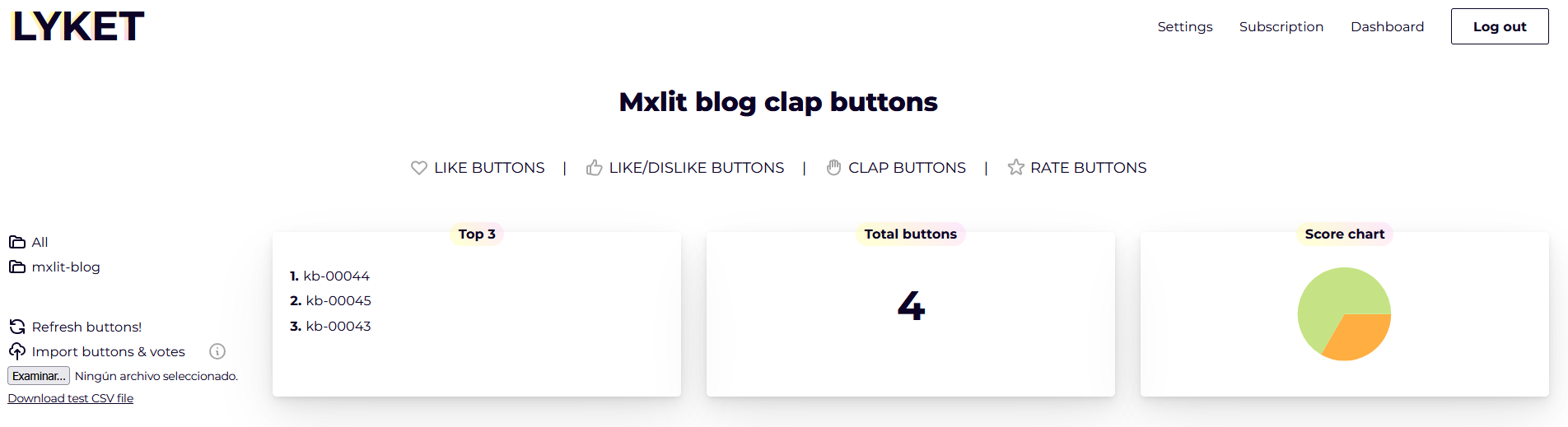
Your Lyket dashboard should now record clicks mapped to your article’s exact ID.
Conclusion
Implementing telemetry on a static site doesn’t have to compromise the principles of a Zero-Touch architecture. By delegating transactional processing to an external, serverless API like Lyket, we can keep our VPS free of unnecessary databases, preserving the extreme speed and security of pure HTML files. The result is an interactive knowledge base that allows us to measure the impact and value of our content in the community without sacrificing performance.