
When deploying new Windows Servers from templates, cloning VMs, or performing major system upgrades, you might run into a frustrating issue where Windows refuses to activate against your KMS host or accept a retail key. Often, the system throws obscure licensing errors or the “Software Protection” (sppsvc) service repeatedly fails to start.
This failure usually stems from deep-rooted permission corruption within the Windows system folders. During cloning or upgrading, the built-in NETWORK SERVICE or sppsvc accounts lose their crucial read/write access to the local licensing store folders, making it physically impossible for the OS to retrieve or write its own activation state.
While there are many long-winded registry fixes floating around the internet, the method detailed below consistently provides a permanent fix by directly correcting the security descriptors on the Software Protection folder.
The Ultimate Fix: Restoring SPPSVC Folder Permissions
This method directly attacks the root cause: broken NTFS permissions on the hidden licensing folder.
Open File Explorer and navigate to the following path:
C:\Windows\System32\spp\Right-click on the
storefolder inside thesppdirectory and select Properties.Navigate to the Security tab. You will likely notice that the permissions are completely blank or corrupted.
Click Edit, then click Add to add a new user/group.
In the object names box, type exactly
NT Service\SPPSVCand click Check Names. It should resolve to the Software Protection Service account.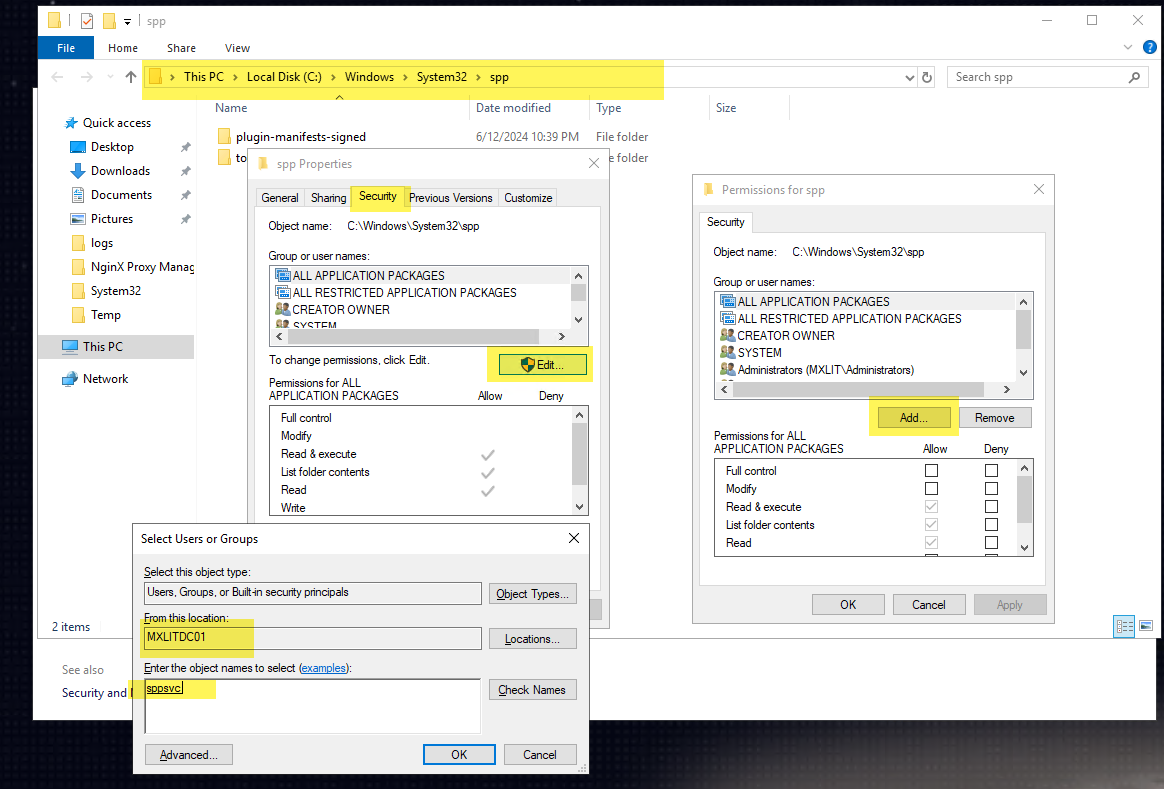
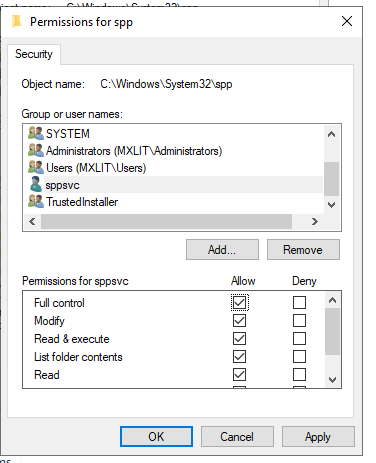
Click OK. Now, select your newly added
SPPSVCuser in the list, and in the permissions box below, grant it Full Control. Apply the changes and close the properties window.Reboot the Server.
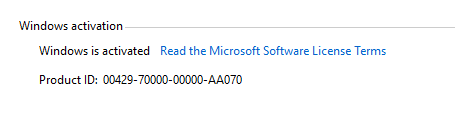
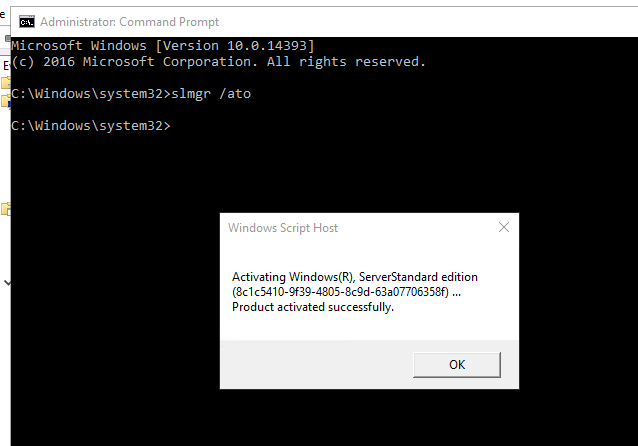
Once the server comes back online, open an elevated Command Prompt and verify the licensing state. Your activation should now succeed (or you can manually trigger it using
slmgr.vbs /ato).
Optional Troubleshooting
In some rare cases, the GUI might still struggle. If the issue persists visually but the permissions are correct, you can verify via the Windows Activation settings.
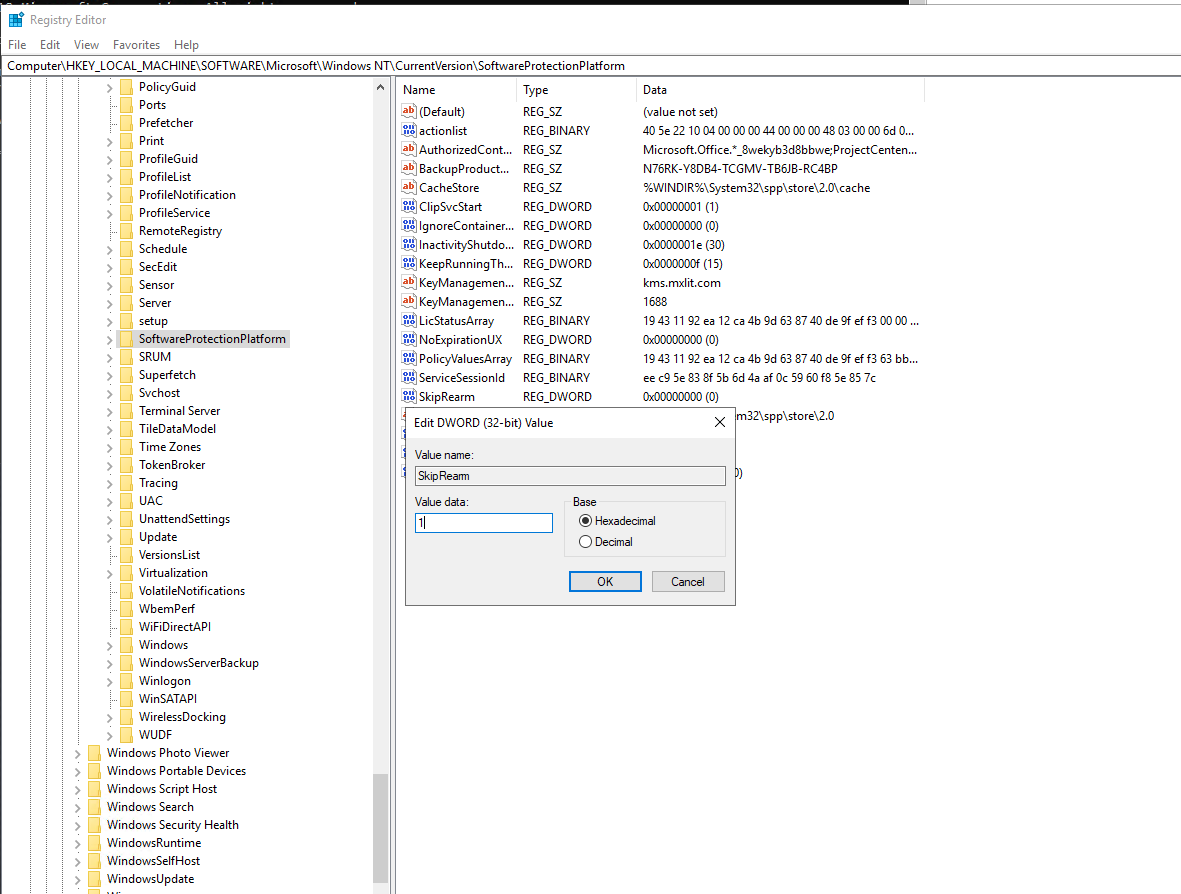
The Nuclear Option: System File Checker
If absolutely nothing works and the sppsvc keeps crashing despite receiving Full Control over its directory, the operating system’s core component store is likely heavily corrupted. Open an elevated CMD and run these repair commands sequentially:
SFC /scannow
DISM /Online /Cleanup-Image /CheckHealth
DISM /Online /Cleanup-Image /ScanHealth
DISM /Online /Cleanup-Image /RestoreHealth
Conclusion
Windows Activation relies heavily on a delicate ecosystem of background services and strict folder permissions. By ensuring the Software Protection service account has explicit Full Control over C:\Windows\System32\spp\store, you bypass the vast majority of “unexplained” KMS and MAK activation errors encountered in enterprise virtualized environments. Always check your NTFS permissions before resorting to extreme measures like rebuilding VMs!