
\nimage: “truenas_thumbnail.jpg”
When managing a TrueNAS or FreeNAS file server integrated with Microsoft Active Directory, you may encounter a You do not have permissions to see the list of files opened by Windows clients. or NT_STATUS_ACCESS_DENIED error when attempting to connect using native Windows RPC administrative tools.
This behavior is most prominent when:
- Trying to open the
fsmgmt.msc(Computer Management -> Shared Folders) MMC snap-in pointing to your NAS.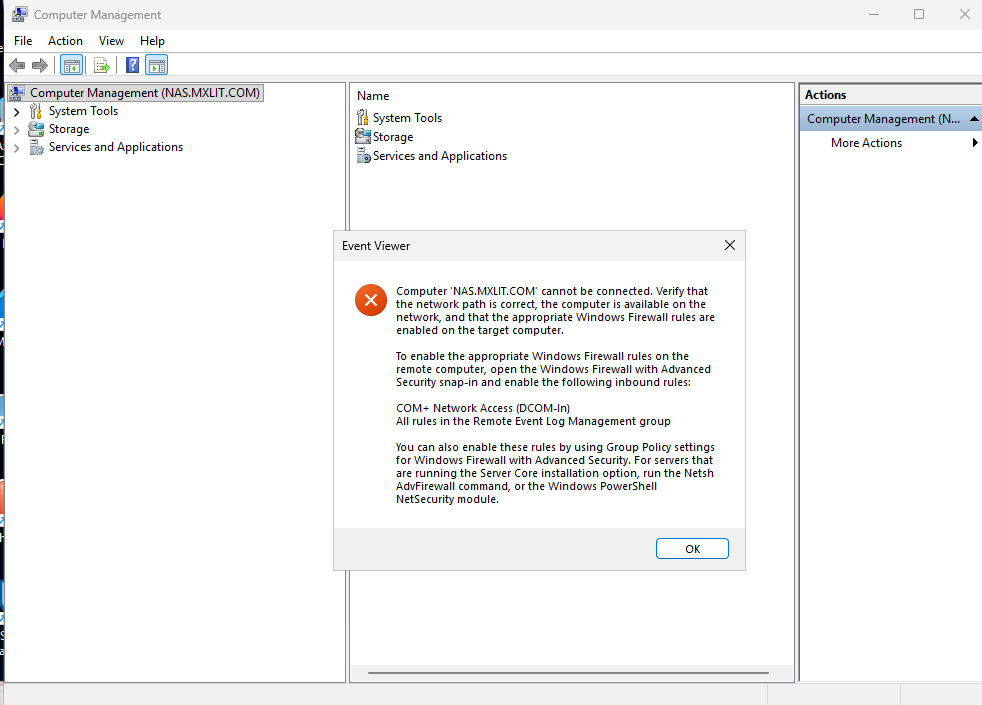
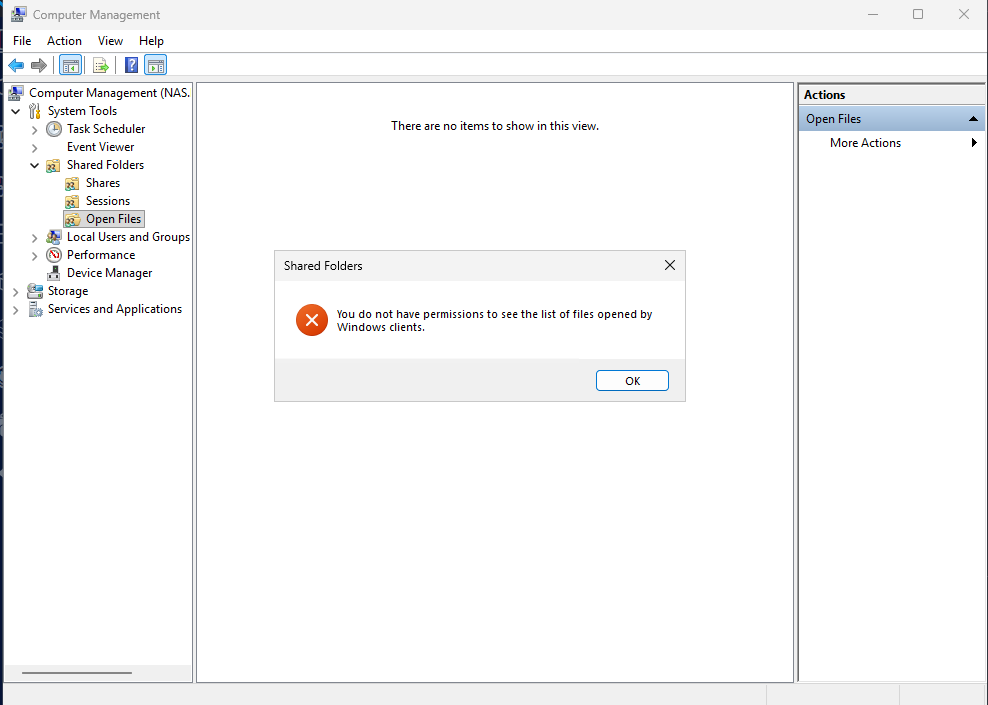
- Trying to query network locks from the command line using
openfiles.exe /Query /S \\NAS.
Even if your Active Directory administrator account has Full Control mapped inside the individual Share ACLs and Filesystem ACLs, the underlying Samba server daemon will inherently reject global Windows API requests that interrogate raw sub-systems (like session lists and file locks) unless explicitly delegated.
The Solution: Global SMB Administrators Group
In older versions of Samba and FreeNAS, you were forced to drop into the root bash shell and map the Windows capability SeDiskOperatorPrivilege using the net rpc rights grant command.
In modern TrueNAS Core and TrueNAS Scale, this mapping has been gracefully exposed in the Global SMB interface:
Log into your TrueNAS Web UI.
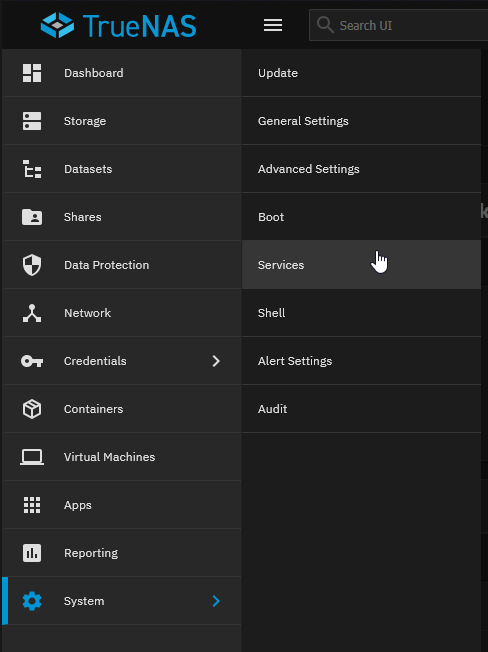
Navigate to System -> Services (or Network -> SMB depending on your branch).
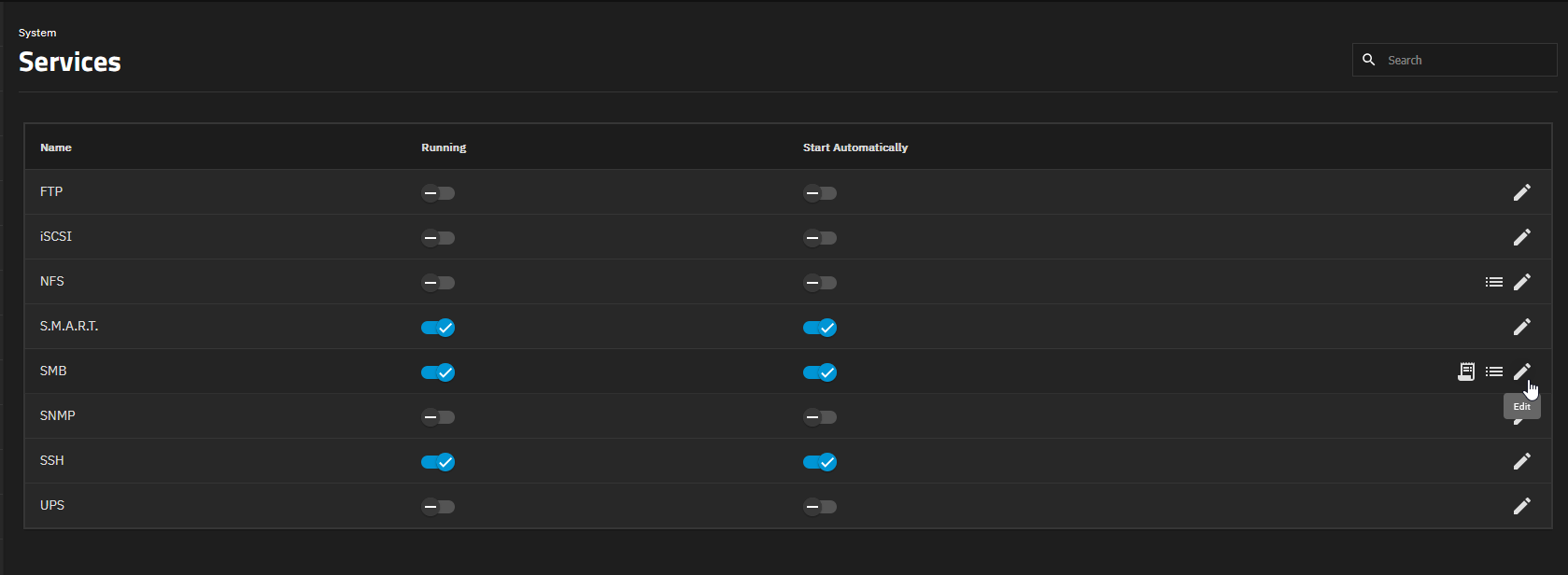
Find SMB and click the pencil icon to configure its global service parameters.
Expand the Advanced settings
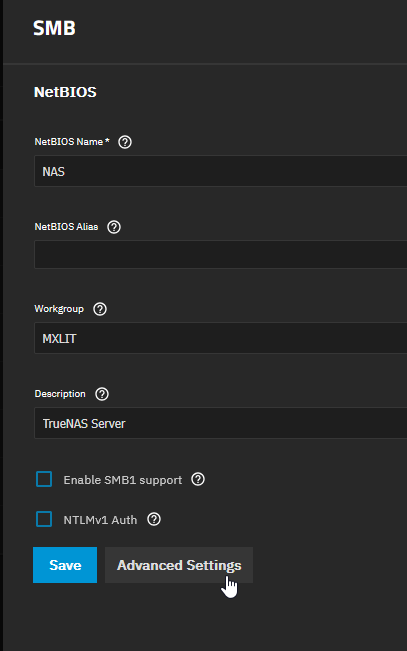
Locate the drop-down menu labeled Administrators Group.
Select your designated Active Directory administration group (e.g.
DOMAIN\nas-adminsorDOMAIN\Domain Admins).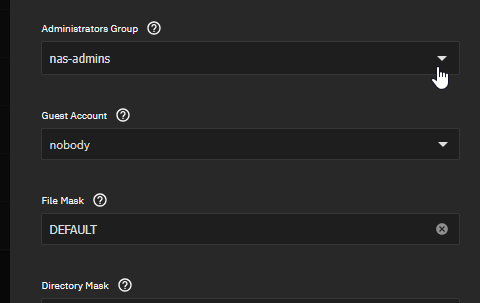
Click Save.

Security Considerations
Do not assign this privilege to generic groups (e.g., Domain Users).
Granting the SeDiskOperatorPrivilege provides significant administrative control over the SMB daemon. If regular users are granted this access, they could theoretically query all open files across the NAS, exposing sensitive file names and access patterns. Furthermore, they could forcibly close other users’ active RPC sessions and file locks, leading to data corruption or service disruption. Always restrict this to dedicated administrative groups.
Conclusion
By designating your AD administrators group in the global SMB daemon settings, TrueNAS organically grants them the SeDiskOperatorPrivilege. The moment this occurs, Samba trusts the RPC bindings originating from those Active Directory accounts.
Your Computer Management snap-ins, network open file queries, and script polling applications will instantly transition from You do not have permissions... to displaying the telemetry appropriately! This ensures complete visibility into file locks without compromising your domain’s security posture.