
We have reached one of the most critical architectural milestones of the entire deployment. So far, our cluster is live on the network, utilizing dynamic routing with SmartConnect and secured via SSL management. However, an enterprise NAS serves little purpose if users must memorize new credentials or if management traffic is mingled with high-performance production data.
In this article, we will join our Dell EMC Isilon cluster to our Active Directory domain (mxlit.com) and configure true multi-tenancy by creating our first dedicated Access Zone.
Why Isolate with Access Zones?
In OneFS, the default zone is named System. This zone handles management traffic (WebUI, SSH) and hosts all default configurations. If we create file shares (SMB/NFS) within the System zone, we are effectively exposing the management plane to end-users—a serious security risk.
Creating a dedicated Access Zone allows us to achieve:
- Network Isolation: Bind this zone exclusively to our data IP pools (
pool_smb_dataon VLAN 105). - Path Isolation: Assign a strict base directory (e.g.,
/ifs/data/production) which users cannot navigate out of. - Authentication Isolation: Permit only specific identity providers (like our AD) to operate within this zone.
Step 1: Joining Isilon to Active Directory
The first step is establishing the cluster as a trusted member of our Windows Server domain.
Via WebUI:
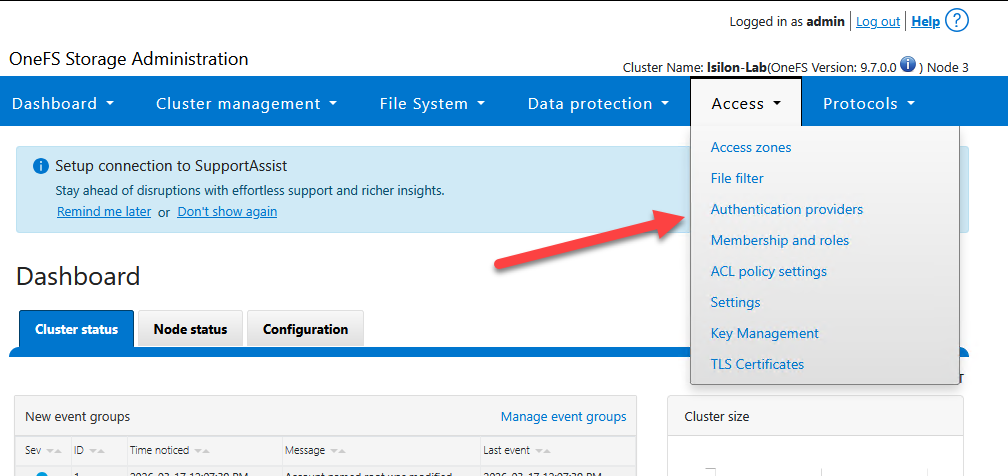
Navigate to Access > Authentication Providers > Active Directory.
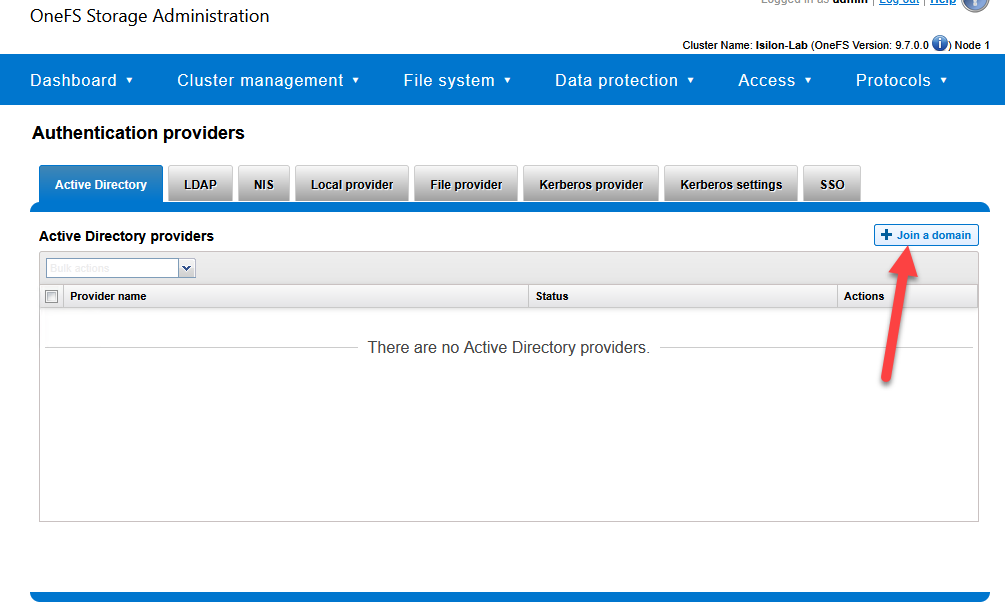
Click on Join a domain.
Domain Name:
mxlit.comEnter the credentials for a domain administrator account (with permissions to join machines to the AD).
Optional but Recommended: In the Organizational Unit (OU) field, specify where the cluster’s computer object should reside (e.g.,
OU=Servers,DC=mxlit,DC=com).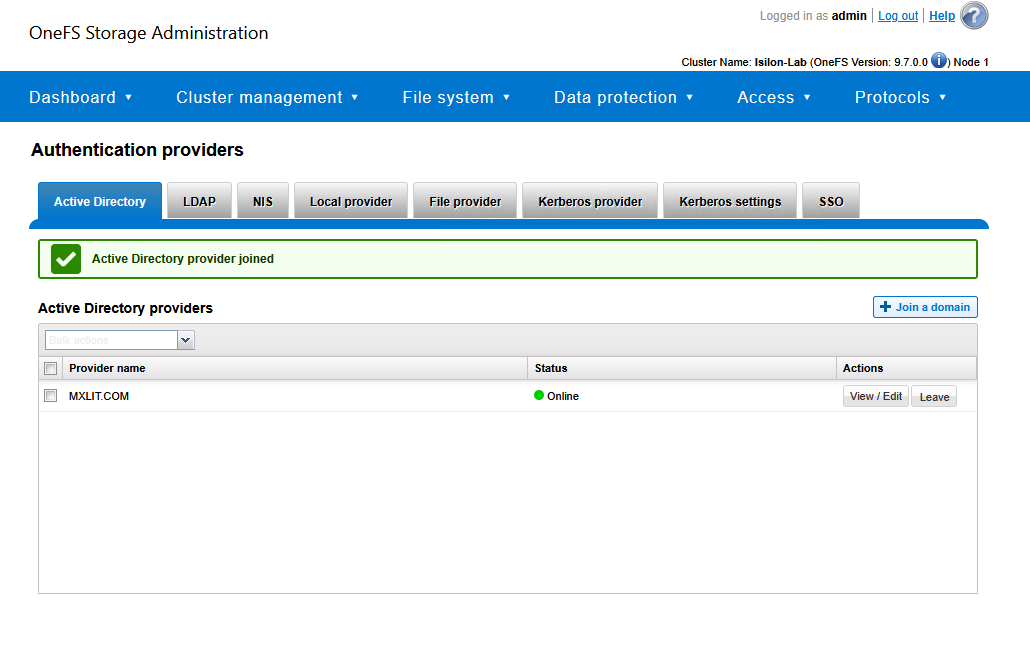
Via CLI (PowerShell/SSH):
If you prefer the terminal, use the following commands:
# Join the Isilon cluster to the Active Directory domain
# Replace 'Administrator' with your domain admin account
isi auth ad create --name=mxlit.com --user=Administrator --ou="OU=Servers,DC=mxlit,DC=com"

# Verify the connection status to the domain controllers
isi auth ads list
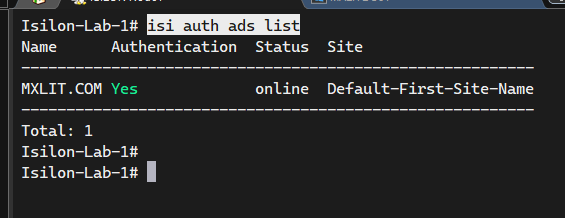
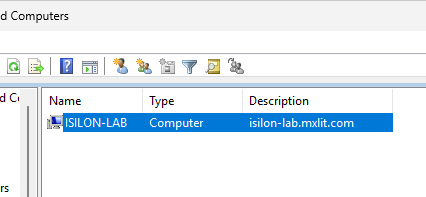
Verify in Active Directory Users and Computers; you will see the new computer object created.
Step 2: Creating the Production Access Zone
Now that Isilon trusts our Active Directory, we will create the “logical container” for our users.
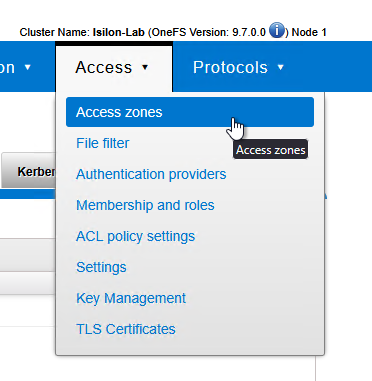
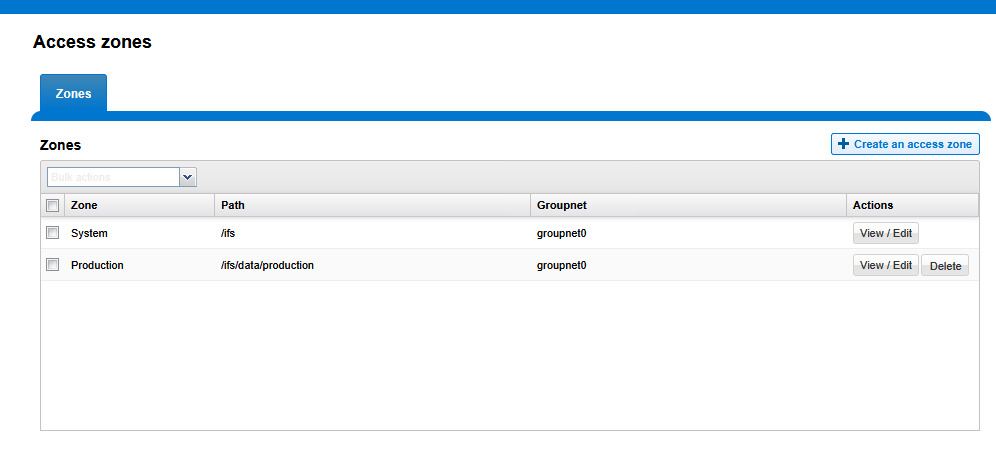
- Navigate to Access > Access Zones.
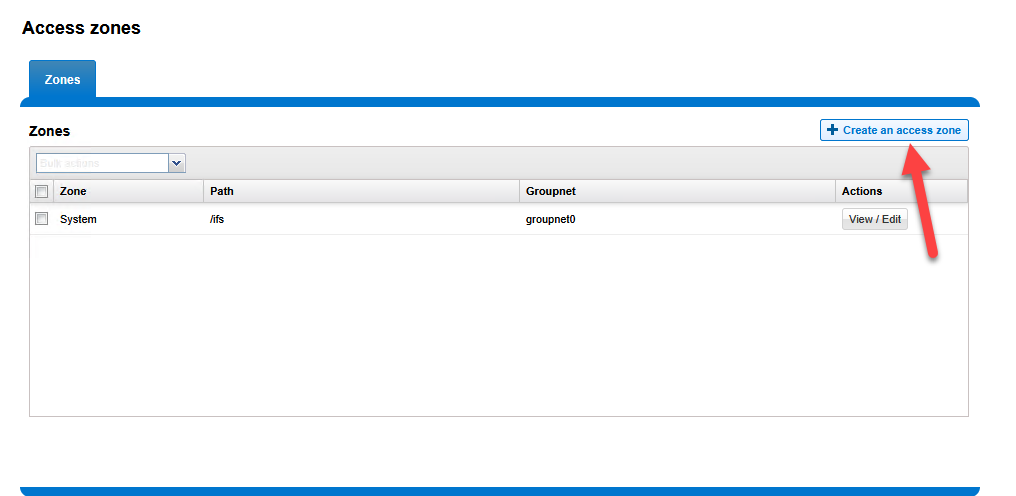
- Click Create an Access Zone.
Zone Name:
ProductionBase Directory:
/ifs/data/production(Check the box for Create zone base directory if it does not exist).Authentication Providers: Move the
mxlit.comprovider from Available to Selected. This is crucial, as it instructs the zone to utilize your domain users.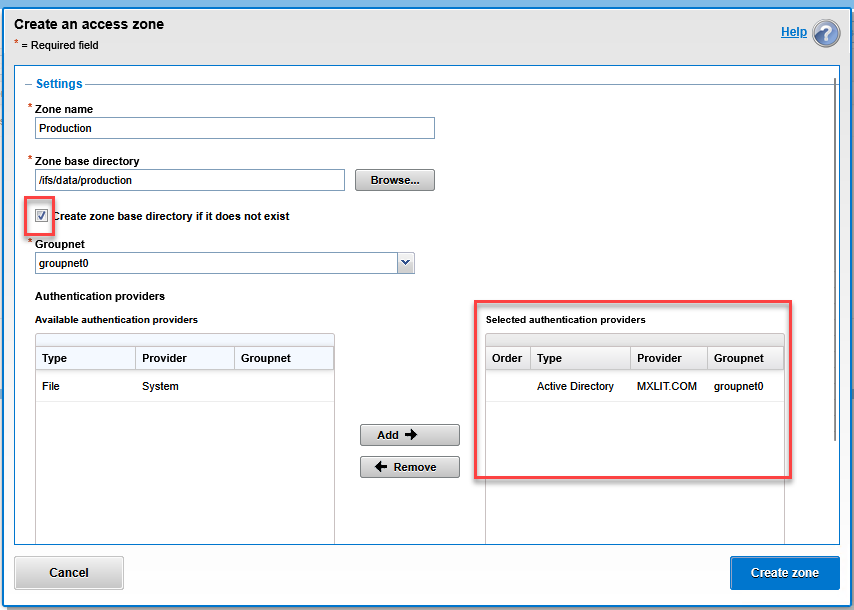
Click Create zone.
Step 3: Binding SmartConnect to the New Access Zone
This is where the magic happens. We will instruct the network to handle all traffic entering through the storage DNS by encapsulating it within our new zone.
Navigate to Cluster Management > Network Configuration.
Expand your subnet and edit your data pool (
pool_smb_data).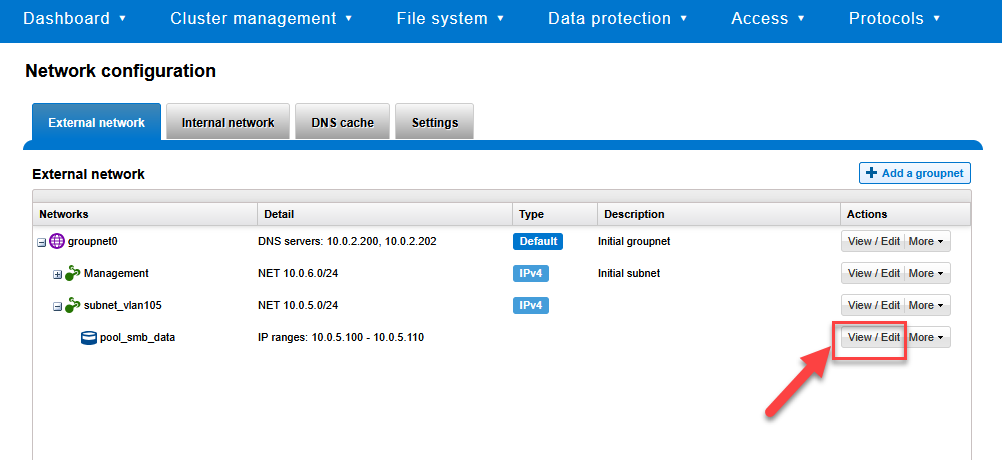
Locate the Access Zone dropdown menu.
Change it from
Systemto your new zone:Production.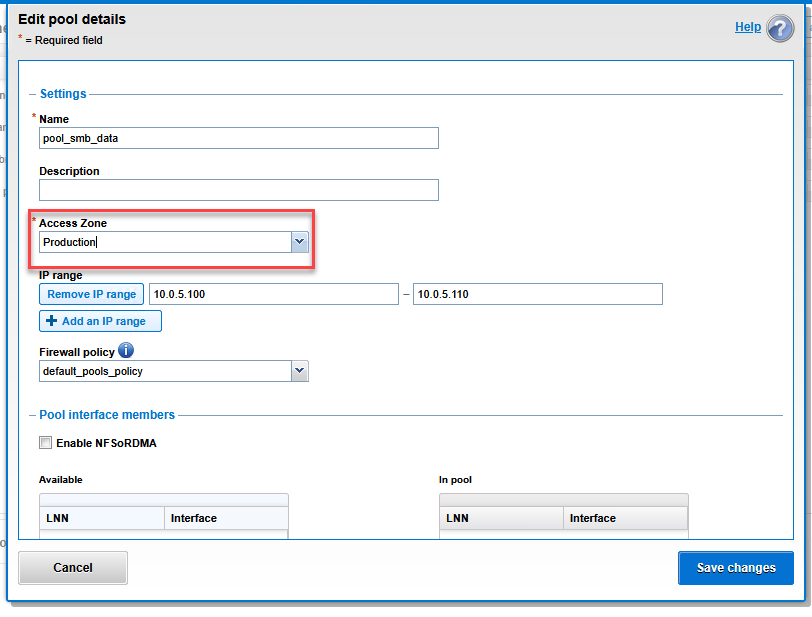
Click Save changes.
Step 4: Final CLI Verification
To ensure that OneFS internal routing is correctly linking zones and users, we can validate from the terminal that Isilon is now capable of reading the Active Directory database through the production zone.
# List all configured Access Zones to verify the base path
isi zone zones list

# Query a domain user through the new Access Zone
# This confirms the AD provider is active inside Production
isi auth users view "MXLIT\your-user" --zone=Production
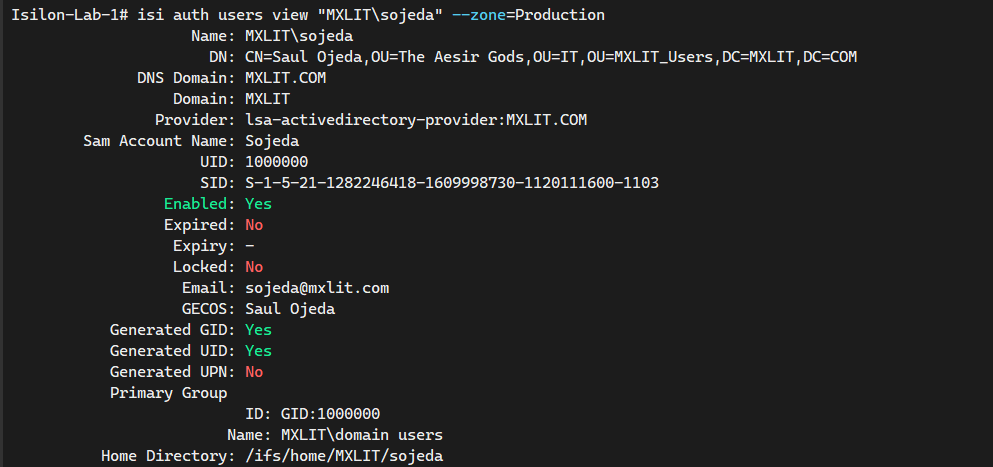
If the command returns the SID, UID, and group memberships of your Windows user, congratulations! You have successfully integrated identities and secured your multi-tenant environment.
Conclusion
By successfully joining your Isilon cluster to Active Directory and isolating production traffic within a dedicated Access Zone, you have established a foundational layer of security and management. This multi-tenant approach ensures that your storage environment remains scalable and protected against unauthorized access, keeping management and data planes strictly separated.
End of transmission.