
Introduction
In enterprise storage infrastructure administration, one of the most frustrating support incidents is the complete loss of access to a shared SMB resource. This frequently occurs when a user with elevated privileges modifies the Access Control List (ACL), breaks inheritance, and removes all administrative groups.
On a traditional Windows server, the solution is trivial: the administrator takes ownership and rewrites the permissions. However, when the storage is hosted on a NAS appliance like Dell PowerScale (Isilon), graphical tools and Windows commands fail consistently.
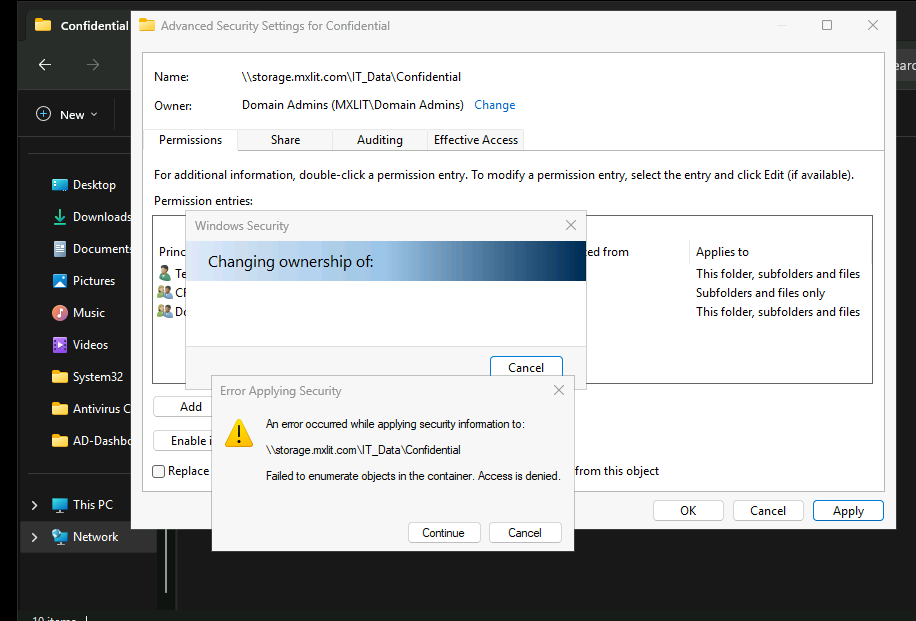
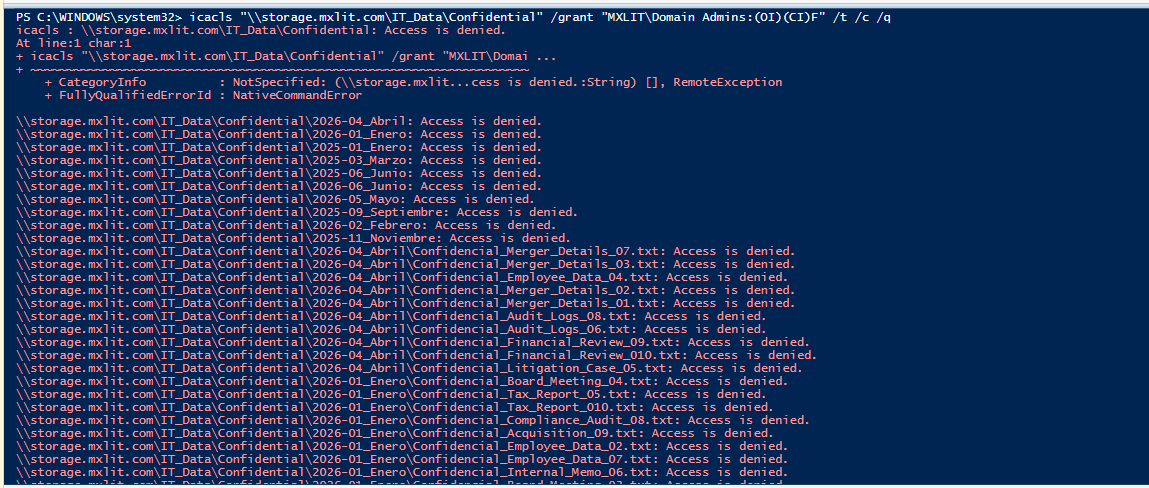
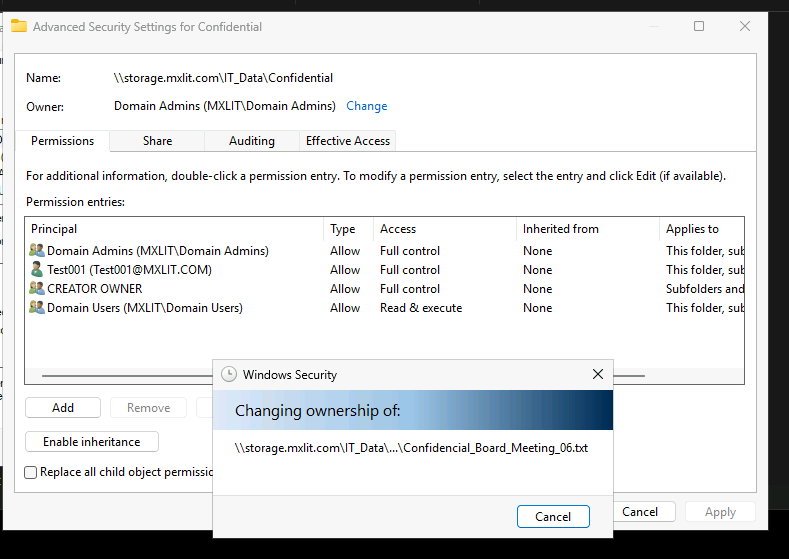
As shown in the following screenshots from a real-world case, the operating system rejects any recovery attempt over the network. When attempting to modify security descriptors to add the Domain Admins group or force an Owner change, the Windows GUI returns a restrictive error: “Failed to enumerate objects in the container. Access is denied.”
The Problem: The Limit of the SMB Layer
The access denied error is not an Active Directory failure or a Windows client bug; it is an architectural limitation. Isilon clusters do not run Windows; they run OneFS, a native Unix-based operating system and file system. The SMB protocol operates only as a translator between Windows ACLs and extended OneFS POSIX permissions.
When a user locks down a directory from their client computer and restricts permissions (setting everything to Read-only or explicitly removing administrators), the SMB daemon enforces that lockout for any client on the network. Consequently, traditional recovery methods are invalidated:
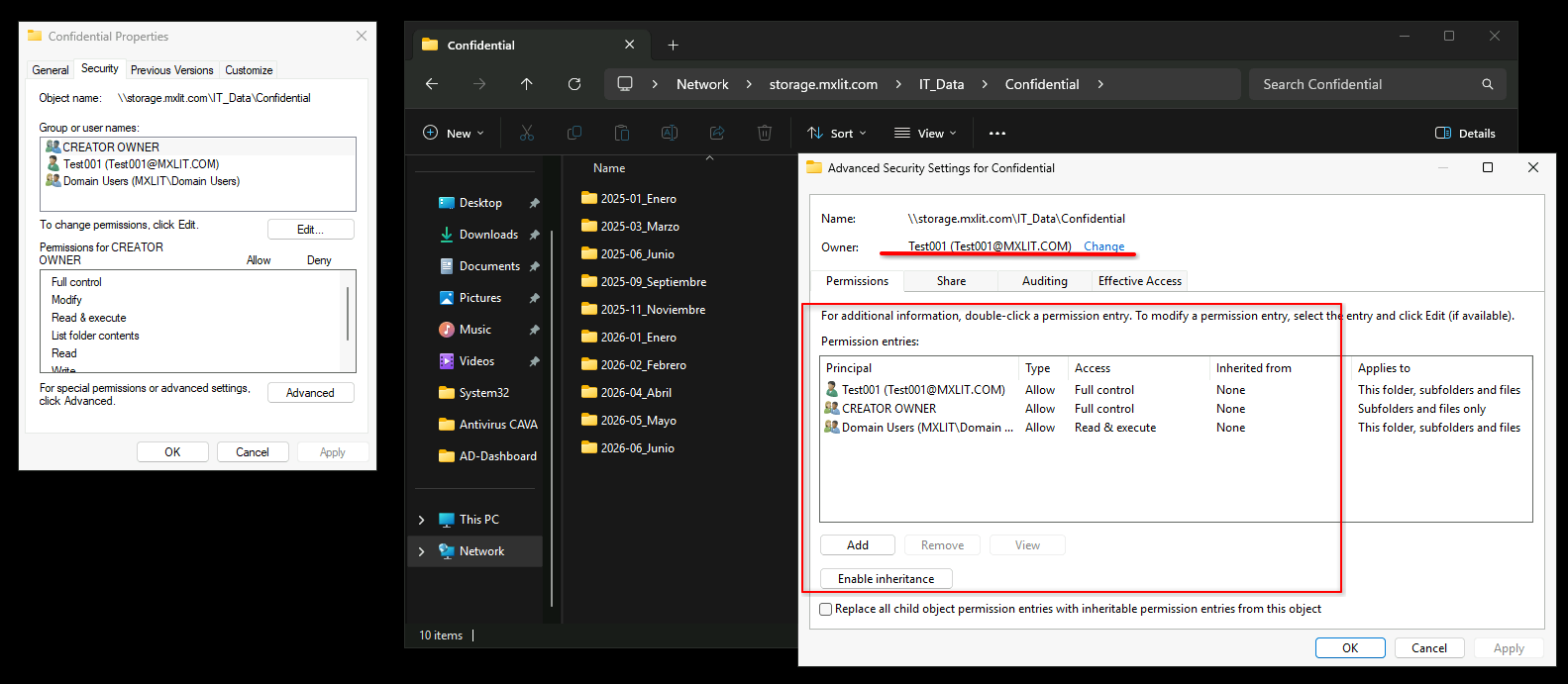
Graphical User Interface (GUI): The Advanced Security tab rejects Owner changes because the SMB client is no longer authorized on the backend.
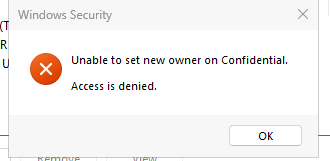
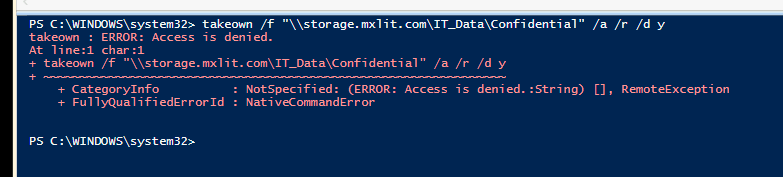
- Command Line (takeown / icacls): These return an access denied error, since they execute through the same restricted SMB session.
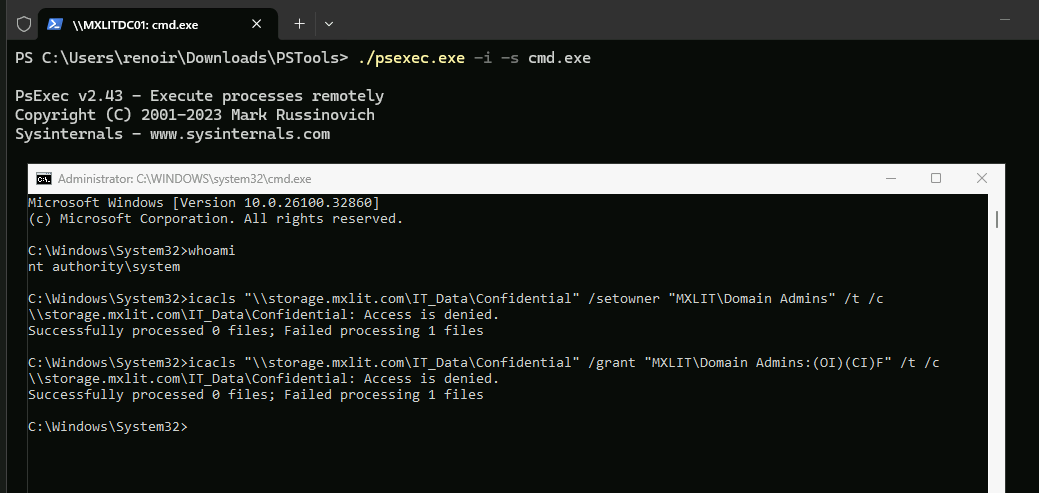
- Escalating to SYSTEM: Even when using tools like PsExec to run commands as
NT AUTHORITY\SYSTEM, the storage will reject the request because a remote client’s SYSTEM identity has no real authority over the OneFS file system.
The Solution: Direct Command-Line Intervention via SSH in OneFS
To regain control, you must bypass the SMB network layer and interact directly with the appliance’s file system using an account with absolute privileges (root). When changes are executed locally on the cluster, SMB restrictions are bypassed.
The steps to inject an explicit full control rule are detailed below.
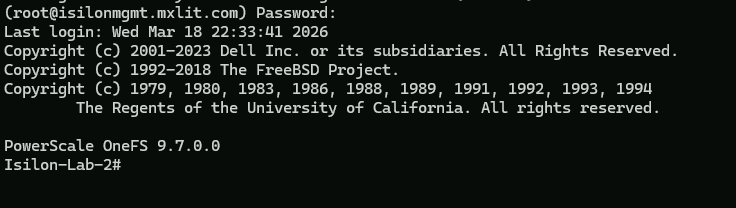
1. Connecting to the Cluster
Establish an SSH connection to the administration node of the Isilon cluster and log in with the root account or an equivalent account with a SystemAdmin role.
2. ACL Injection
Use the chmod command with the OneFS-specific syntax to inject a new rule at the top of the ACL. The following command grants Full Control to the domain administrators group, applying it recursively to all subdirectories and ensuring that new objects inherit this configuration.
# Inject Full Control to the Domain Admins group recursively with inheritance flags
chmod -R +a group "DOMINIO\Domain Admins" allow generic_all,object_inherit,container_inherit "/ifs/real/path/to/directory"
Note: It is critical to respect the DOMAIN\Group format and ensure you use the absolute path within the cluster, which always starts with /ifs/.

3. Verification
Once the command finishes processing metadata across the cluster nodes, permissions will instantly reflect on Windows clients. The “Access Denied” error will disappear from the GUI, and administrators can resume normal security management on the resource.
Conclusion
Permission management in NAS environments requires understanding that the client’s perspective (Windows/SMB) does not always dictate the reality of the storage. When dealing with severe user-induced lockouts, trying to troubleshoot OneFS ACLs using client tools is a waste of time. OS-level administrative intervention on the storage cluster (root via SSH) is the only valid method to permanently overwrite corrupt or restricted security descriptors.