The easiest way to create users in AD is undoubtedly using Active Directory Users and Computers, provided you only want to create one or two users. But what if you want to create multiple users? In that case, I don’t think this method is the most suitable. For this, we will use PowerShell with the New-ADUser cmdlet.
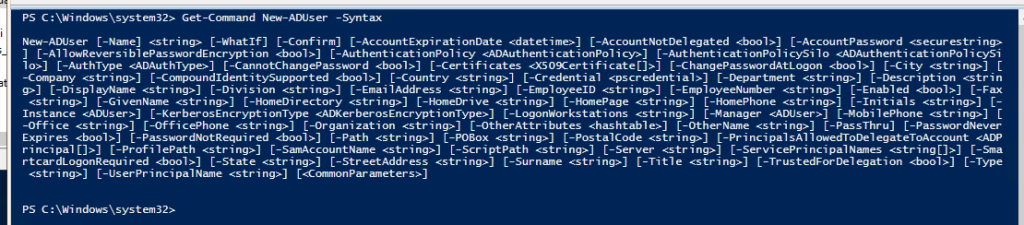
There are multiple parameters we can use with the New-ADUser cmdlet. If we check the syntax, we get the following:
Get-Command New-ADUser -Syntax
Creating a user is as simple as running the following syntax:
New-ADUser testUser
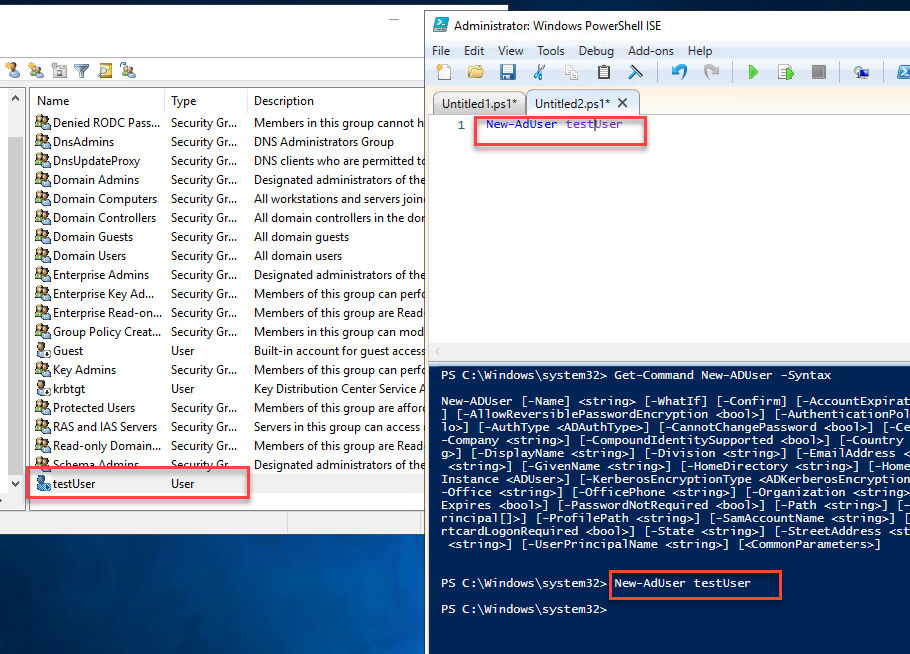
However, there are aspects to consider when creating users with the script shown in the image above. The accounts are created with the following properties:
The account is created in the “Users” OU. The account is disabled. The account is a member of the Domain Users group. The account does not have a password. The user must change their password upon first login.
So, knowing the syntax, we can pass the desired parameters to the New-ADUser cmdlet to make the user usable.
Every account must include at least the following parameters:
- – SamAccountName
- – Name
- – DisplayName
- – GivenName
- – SurName
- – UserPrincipalName
- – AccountPassword
- – Path
- – Enable = $true
With this knowledge, we can import multiple users from a CSV file. I will do so using the following two columns: GivenName and SurName.
The syntax is as follows:
$Users = Import-CSV 'C:\Users\sojeda\Desktop\Usuarios Mexicali.csv'
foreach($User in $Users){
$SamAccountName = "$($User.GivenName).$($User.Surname)"
New-ADUser -SamAccountName $SamAccountName `
-Description "User created from a CSV file" `
-Name "$($User.GivenName) $($User.Surname)" `
-DisplayName "$($User.GivenName) $($User.Surname)" `
-GivenName $User.GivenName `
-Surname $User.Surname `
-UserPrincipalName "$SamAccountName@MXLITPRO.TK" `
-AccountPassword (ConvertTo-SecureString 'SuperSecretPassword123' -AsPlainText -Force) `
-Path "OU=Mexicali,OU=Mxlitpro_Users,DC=MXLITPRO,DC=TK" `
-Enabled $true `
-ChangePasswordAtLogon $true
}
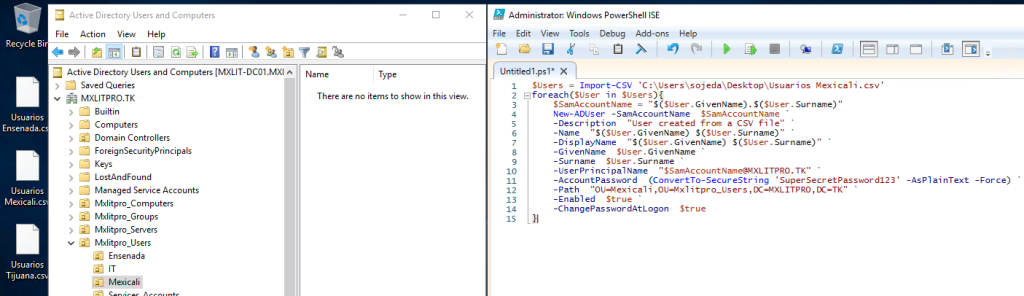
After running the script, I can verify that my users exist in the selected OU; I just need to refresh my OU.
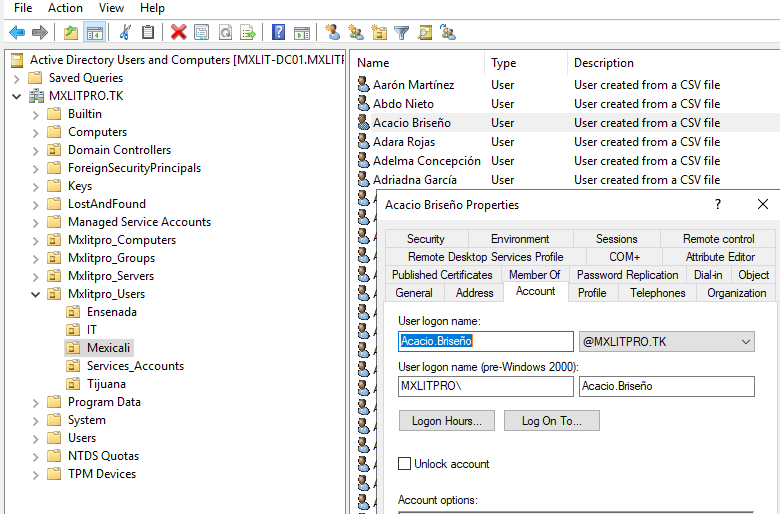
Now I just need to repeat the same process for the Ensenada and Tijuana users.
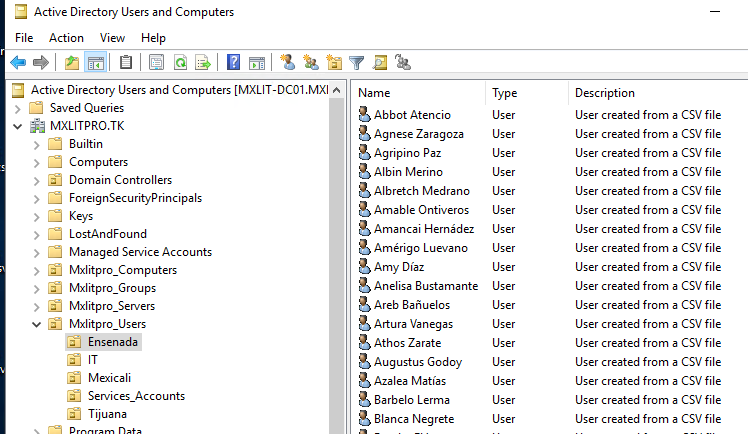
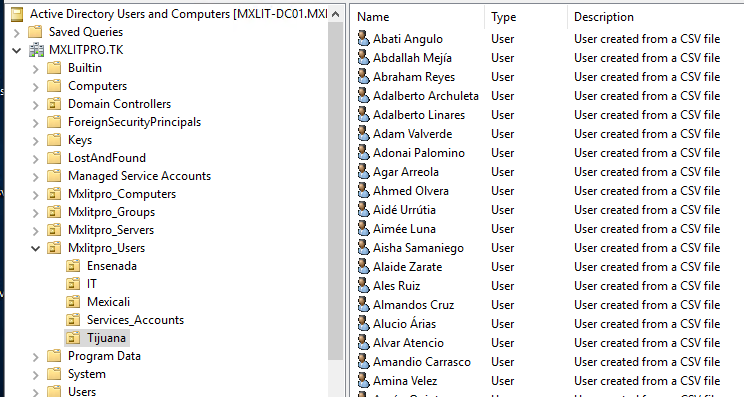
Creating users isn’t limited to the script above. If the CSV file contains the title, department, etc., you can also pass that information to the parameters of the New-ADUser cmdlet. It would just be a matter of analyzing the syntax and seeing what best suits your needs.