In this post, we’ll see how to alert users when their domain password will soon expire. To do this, we’ll create a PowerShell script.
This script is divided into three functions, which I will explain.
Send-Email
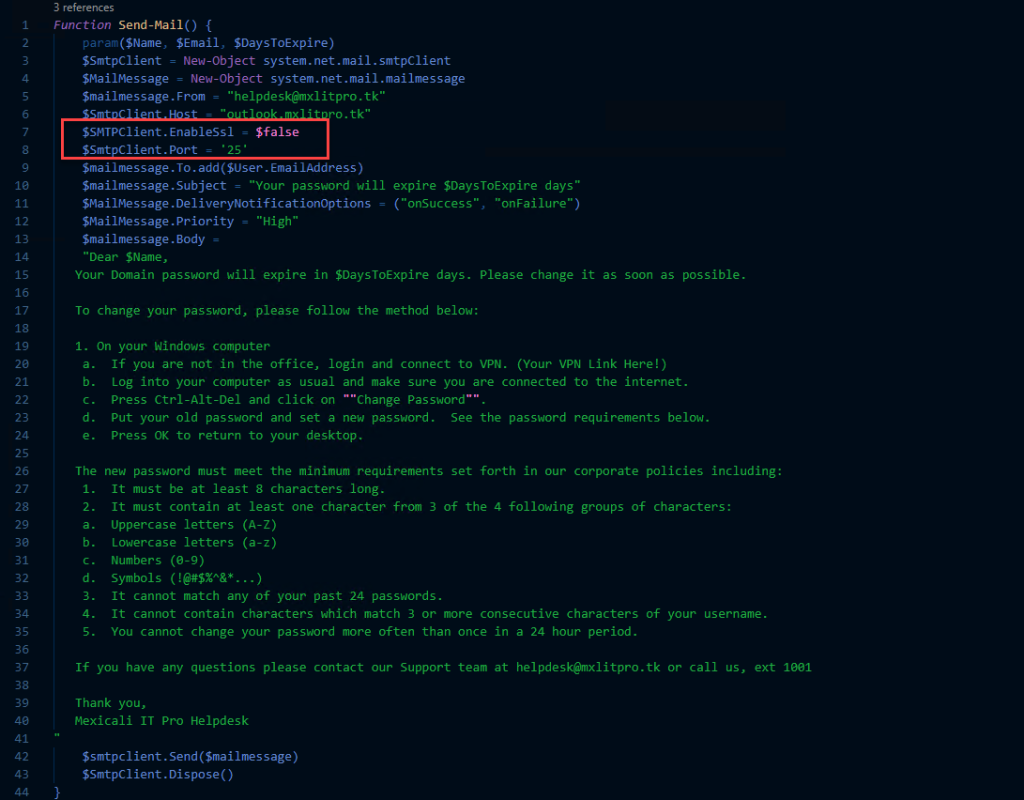
Send-Email This function basically receives three parameters: Username, user email address, and the number of days remaining until the password expires.
In this case, I’m using unauthenticated email. Please note that using unauthenticated email (no SSL and no password, using port 25) means you can only send internal emails. If you want to send emails outside your organization, you must use port 587, enable SSL, and enter a username and password. This will depend on your specific requirements.
Regarding password requirements, I recommend informing me about your organization’s password policies. Here’s a link on how to configure password policies.
Function Send-Mail() {
param($Name, $Email, $DaysToExpire)
$SmtpClient = New-Object system.net.mail.smtpClient
$MailMessage = New-Object system.net.mail.mailmessage
$mailmessage.From = "[email protected]"
$SmtpClient.Host = "outlook.mxlitpro.tk"
$SMTPClient.EnableSsl = $false
$SmtpClient.Port = '25'
$mailmessage.To.add($User.EmailAddress)
$mailmessage.Subject = "Your password will expire $DaysToExpire days"
$MailMessage.DeliveryNotificationOptions = ("onSuccess", "onFailure")
$MailMessage.Priority = "High"
$mailmessage.Body =
"Dear $Name,
Your Domain password will expire in $DaysToExpire days. Please change it as soon as possible.

To change your password, please follow the method below:

1.On your Windows computer
to. If you are not in the office, login and connect to VPN. (Your VPN Link Here!)
b. Log into your computer as usual and make sure you are connected to the internet.
c. Press Ctrl-Alt-Del and click on ""Change Password"".
d. Put your old password and set a new password. See the password requirements below.
and. Press OK to return to your desktop.

The new password must meet the minimum requirements set forth in our corporate policies including:
1. It must be at least 8 characters long.
2. It must contain at least one character from 3 of the 4 following groups of characters:
to. Uppercase letters (A-Z)
b. Lowercase letters (a-z)
c. Numbers (0-9)
d. Symbols (!@#$%^&*...)
3. It cannot match any of your past 24 passwords.
4. It cannot contain characters which match 3 or more consecutive characters of your username.
5. You cannot change your password more often than once in a 24 hour period.

If you have any questions please contact our Support team at [email protected] or call us, ext 1001

Thank you,
Mexicali IT Pro Helpdesk
"
$smtpclient.Send($mailmessage)
$SmtpClient.Dispose()
}
Get-Directory
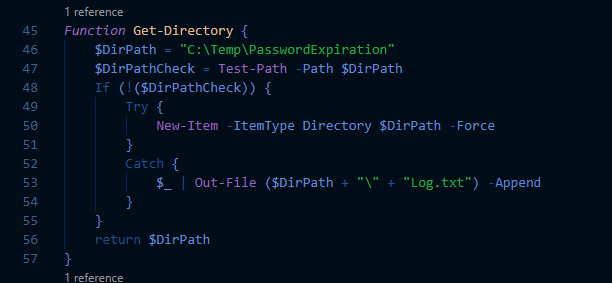
Get-Directory in this function only serves to obtain the directory where the logs will be saved.
Function Get-Directory {
$DirPath = "C:\Temp\PasswordExpiration"
$DirPathCheck = Test-Path -Path $DirPath
If (!($DirPathCheck)) {
Try {
New-Item -ItemType Directory $DirPath -Force
}
Catch {
$_ | Out-File ($DirPath + "\" + "Log.txt") -Append
}
}
return $DirPath
}
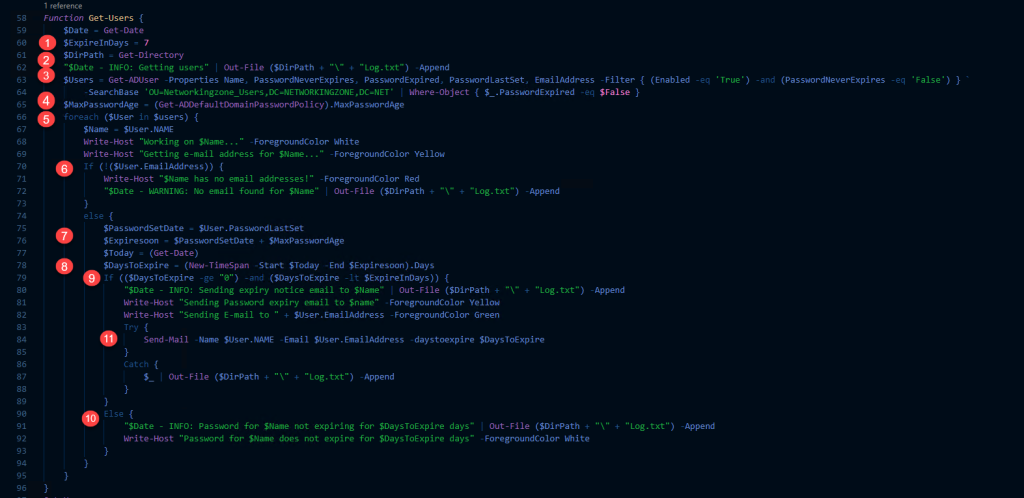
Get-User This function retrieves the users whose passwords will expire within the next 7 days.
- The variable $ExpireInDays is used to determine how many days remain before the password expires.
- Here, the Get-Directory function is called to obtain the folder where the logs will be stored.
- Here, the users are retrieved.
- The maximum number of days a password is valid is obtained.
- All users obtained in step 3 are iterated through.
- It is checked whether an email address exists for each user; if not, a record is saved in the log.
- The last time the user changed their password is obtained.
- The number of days remaining until the password expires is obtained.
- If the remaining days are greater than 0 and less than the expiration date, the condition for sending an email will be met.
- If the previous condition is not met, a log is saved.
- At this point, the Send-Mail function is called, and the following variables are passed: Name, Email, and days remaining for the password.
Function Get-Users {
$Date = Get-Date
$ExpireInDays = 7
$DirPath = Get-Directory
"$Date - INFO: Getting users" | Out-File ($DirPath + "\" + "Log.txt") -Append
$Users = Get-ADUser -Properties Name, PasswordNeverExpires, PasswordExpired, PasswordLastSet, EmailAddress -Filter { (Enabled -eq 'True') -and (PasswordNeverExpires -eq 'False') } `
-SearchBase 'OU=Networkingzone_Users,DC=NETWORKINGZONE,DC=NET' | Where-Object { $_.PasswordExpired -eq $False }
$MaxPasswordAge = (Get-ADDefaultDomainPasswordPolicy).MaxPasswordAge
foreach ($User in $users) {
$Name = $User.NAME
Write-Host "Working on $Name..." -ForegroundColor White
Write-Host "Getting e-mail address for $Name..." -ForegroundColor Yellow
#$emailaddress = $User.EmailAddress
If (!($User.EmailAddress)) {
Write-Host "$Name has no email addresses!" -ForegroundColor Red
"$Date - WARNING: No email found for $Name" | Out-File($DirPath + "\" + "Log.txt") -Append
}
else {
$PasswordSetDate = $User.PasswordLastSet
$PasswordPolicy = (Get-ADUserResultantPasswordPolicy $User)
if ($null -ne ($PasswordPolicy)) {
$MaxPasswordAge = ($PasswordPolicy).MaxPasswordAge
}
$Expiresoon = $PasswordSetDate + $MaxPasswordAge
$Today = (Get-Date)
$DaysToExpire = (New-TimeSpan -Start $Today -End $Expiresoon).Days
If (($DaysToExpire -ge "0") -and ($DaysToExpire -lt $ExpireInDays)) {
"$Date - INFO: Sending expiry notice email to $Name" | Out-File($DirPath + "\" + "Log.txt") -Append
Write-Host "Sending Password expiry email to $name" -ForegroundColor Yellow

Write-Host "Sending E-mail to $User.EmailAddress..." -ForegroundColor Green
try {
Send-Mail -Name $User.NAME -Email $User.EmailAddress -daystoexpire $DaysToExpire
}
Catch {
$_ | Out-File($DirPath + "\" + "Log.txt") -Append
}
}
Else {
"$Date - INFO: Password for $Name not expiring for $DaysToExpire days" | Out-File ($DirPath + "\" + "Log.txt") -Append
Write-Host "Password for $Name does not expire for $DaysToExpire days" -ForegroundColor White

}

}
}
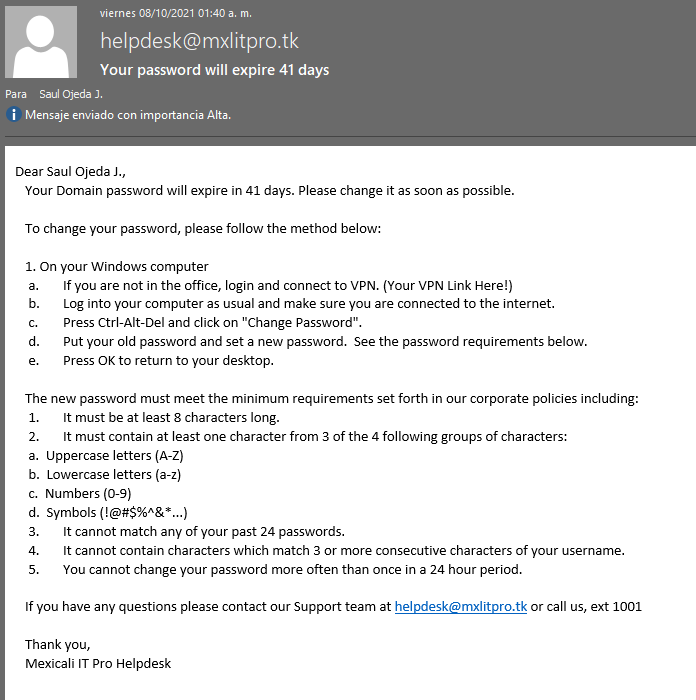
When the condition in point 11 is met, the user will receive an email indicating that they must change their password. (For this test, I changed the $ExpireInDays variable.)
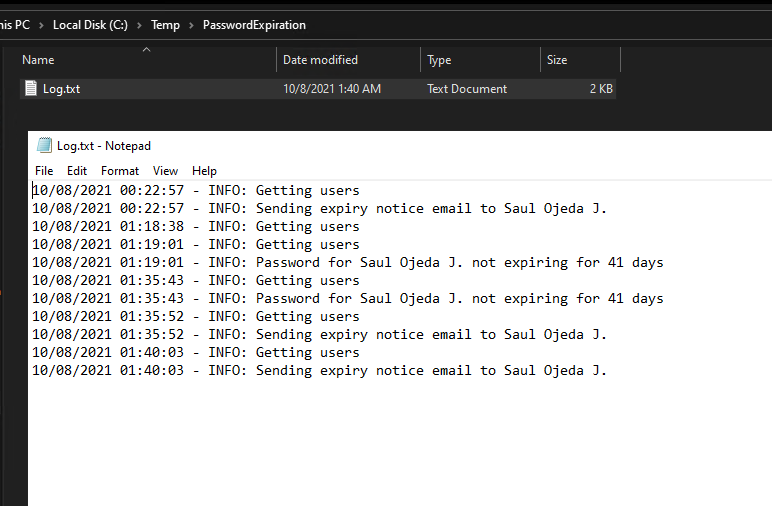
This is an example of the logs.
The only remaining step is to create a scheduled task that runs daily.