A couple of days ago, I was asked for help copying security groups from one user to a new user. While it’s true that we can perform this task manually, sometimes a simple line of code can save us this work. This is helpful when the new user belongs to the same department as the user whose groups we want to copy.
There’s something to keep in mind before doing this: you should be aware that the user with the groups belonging to the department may have additional, previously authorized access. For example, they might have access to shared files because they’re part of a project, etc. This is why you should be careful when copying the groups in their entirety. If this isn’t the case, then the following script can be very helpful.
Let’s take the user iojeda as an example. This is a new user who will be part of the systems team, and like my user, I want them to be part of the groups I belong to. To do this, we run the following line of code:
Get-ADUser -Identity Sojeda -Properties memberof | Select-Object -ExpandProperty memberof | Add-ADGroupMember -Members iojeda
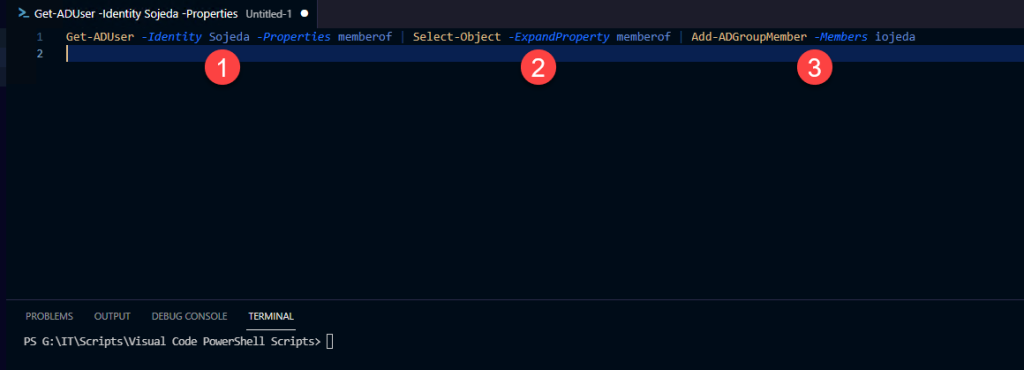
Now, let’s see exactly what this line of code does.
- In the first part, I want to know all the groups to which the user Sojeda belongs. To do this, I call the
memberofproperty. - In this part, I only want to get the groups to which the user belongs, so I select the
memberofobject. - Finally, for each group to which my user belongs, I will add a member; in this case, it will be the new user I just created.
Note: The pipe character (|) connects one command to another, so each pipeline sends the results of the previous command to the next.
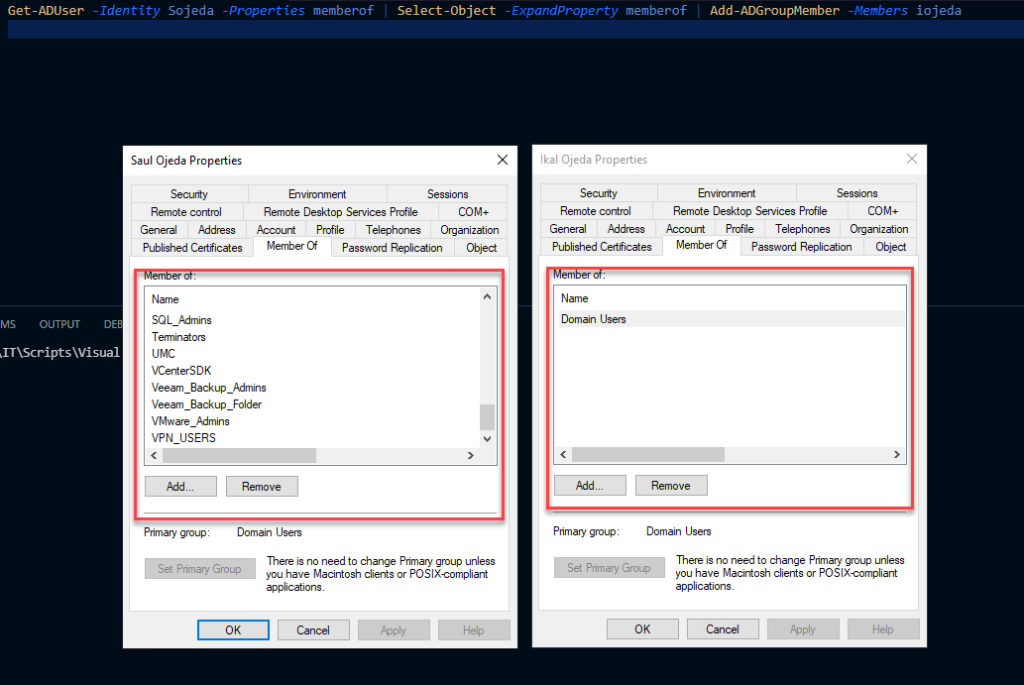
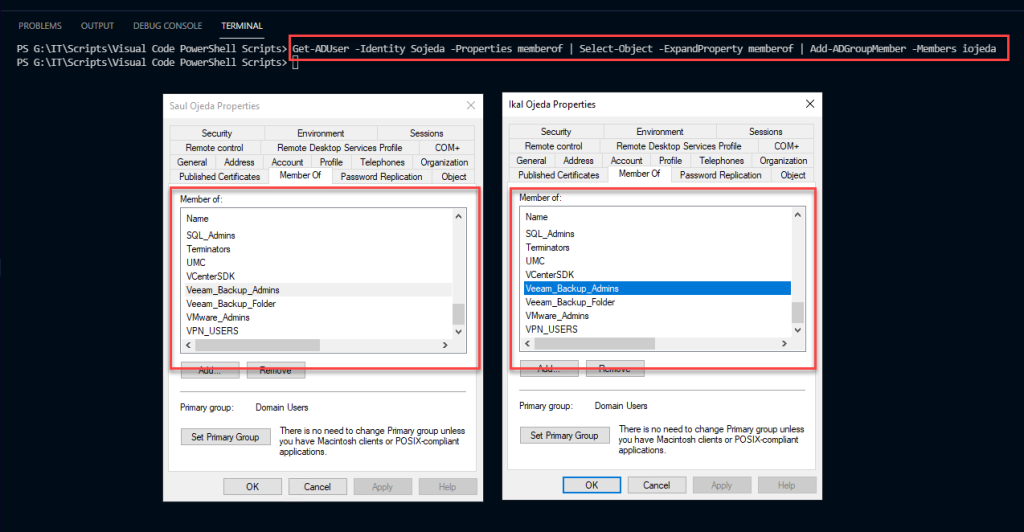
As we can see, after executing the command, all the groups of the user sojeda have been added to the new user iojeda.