In this post, I will explain how to extend the trial license offered by Microsoft for Windows Server and why it is important to keep Windows Server activated.
As you may know, Microsoft offers Windows Server for free for a 180-day trial period. After this time, we “must” enter a valid license; otherwise, the system will be deactivated. This can cause a series of inconveniences, such as the deactivation of certain custom options, and the server will also shut down automatically after a period of time.
However, Microsoft allows us to extend the trial period up to 6 times. So, if we do the math, we can have an activated Windows Server for a period of 3 years without worrying about adding a license every 180 days. While it is true that we can keep Windows Server active for this amount of time, I do not recommend running a production environment on a Windows Server trial. For that scenario, you need an active Windows Server with a proper license. This method is strictly for lab environments, like this one. With that said, let’s proceed with the steps to extend the license.
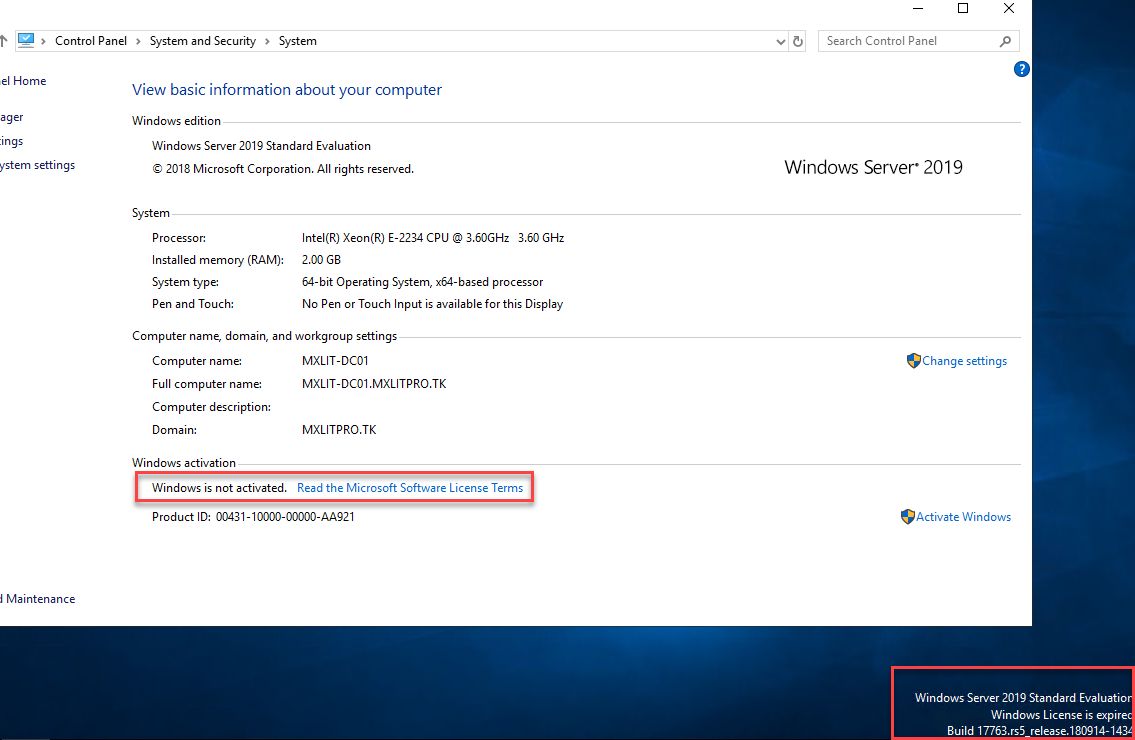
As we can see, this system is deactivated, and the message in the lower right corner shows that the evaluation period has ended.
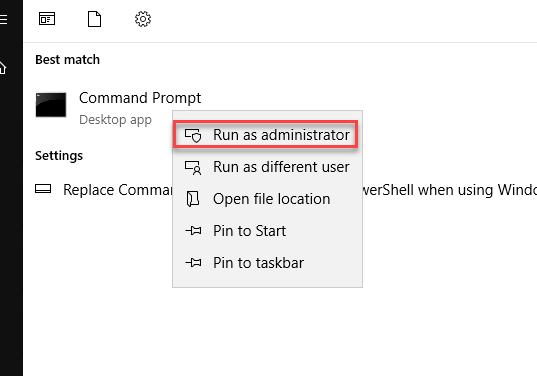
Open CMD as administrator.
Enter the following command:
# Open terminal as Administrator and run the following command
# This will display detailed license information
slmgr -dlv
This will open a new window displaying the license details. However, the section we are interested in is highlighted; here we can see the number of times we can extend the trial period.
Now that we have verified the trial period can still be extended, run the following command. (Note: I previously mentioned running CMD as administrator, this is because the following command requires it).
# Reset the licensing status of the machine
slmgr -rearm
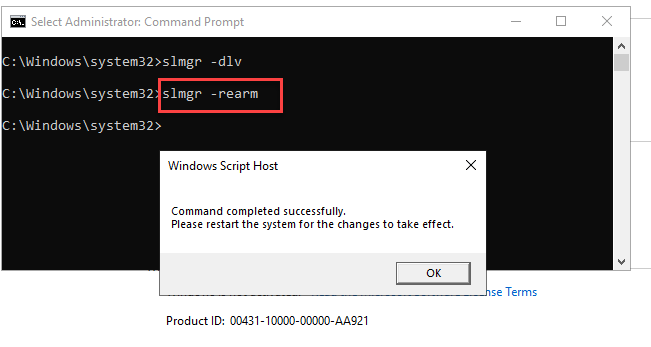
To conclude the process, simply restart the computer.
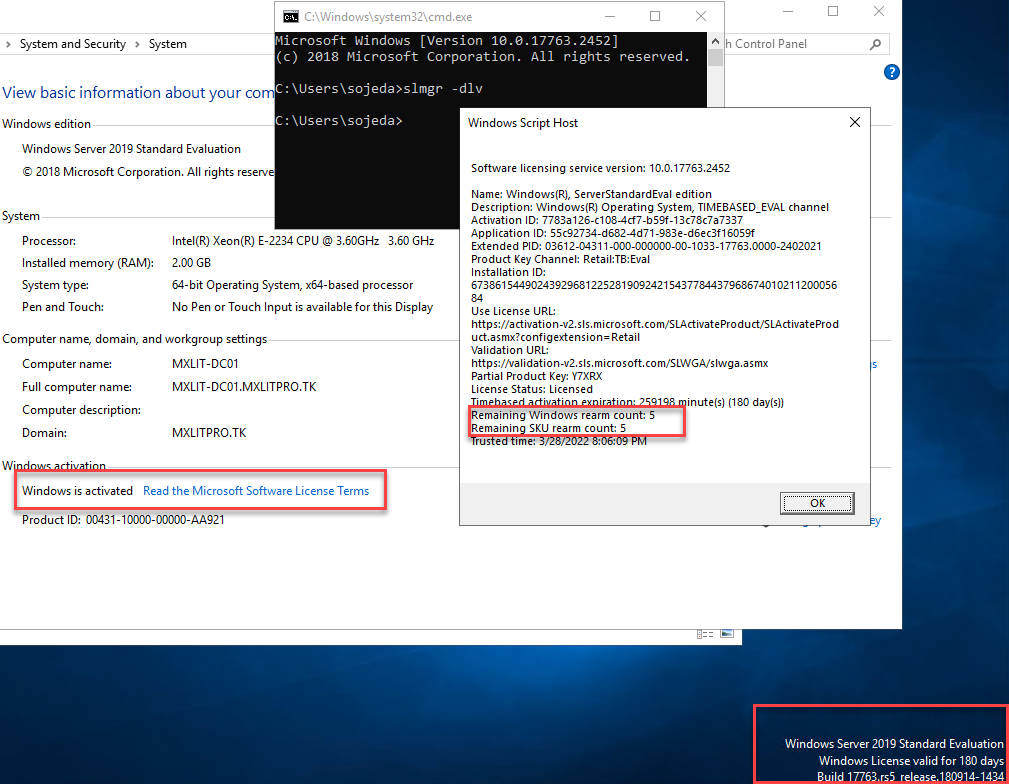
Once restarted, we can see that Windows is active again, and the lower right corner shows that the valid period is 180 days. If we run the slmgr -dlv command again, we will see that the remaining Windows rearm count has decreased by one, leaving us with 5 remaining.
Well, that is all you need to do every 180 days to keep the trial periods active. Remember that these trial periods are not for commercial use, so they are strictly for lab environments.